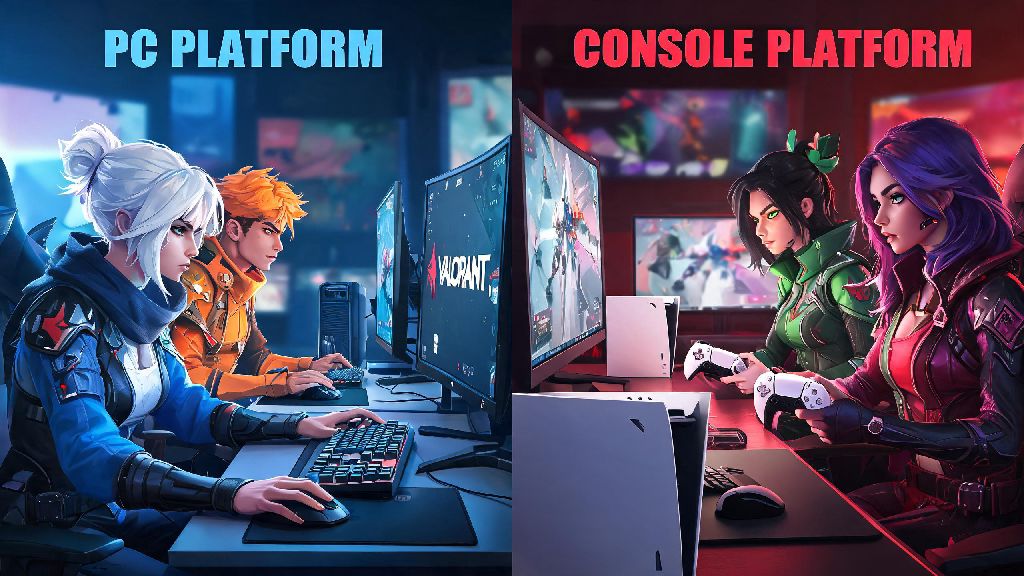
If you’ve recently picked up Valorant on your PS5 or Xbox Series X/S and have friends who’ve been grinding the game on PC for years, you’ve probably wondered can console play with pc on Valorant at some point. Riot Games rolled out full console support for the tactical shooter in mid-2024, and crossplay functionality was far and away the most requested feature from players across both device groups. But crossplay in a game as competitive as Valorant comes with a lot of fine print, from input balancing to rank restrictions that you need to know before you queue up with friends on a different platform. This guide breaks down everything you need to know to make the most of cross-platform play without running into frustrating surprises.
Can Console Play with PC on Valorant? Official Crossplay Rules Explained
The short answer is yes, console players can play with PC players on Valorant for most game modes, with a small handful of restrictions for high-ranked play. Riot enabled crossplay by default the second console versions launched, so you don’t have to dig through settings or link extra accounts to play with friends on other devices right away. All you need to do is add your friend’s Riot ID to your friend list, and you can queue for matches together just like you would with players on the same platform.
Crossplay is enabled by default for all non-ranked game modes including Swiftplay, Deathmatch, Spike Rush, and Unrated. The only exception is for top-ranked players: anyone ranked Immortal 3 or Radiant will not be able to queue across platforms, even if they’re in a party with friends on a different device. Riot implemented this rule to protect competitive integrity at the highest level of play, where small input differences can have a huge impact on match outcomes.
You also have the option to turn crossplay off entirely in your settings if you don’t want to face players on other devices. If you toggle crossplay off, you’ll only be matched with other console players for all game modes, and you won’t be able to join parties with friends on PC. This is a great option if you’re just looking to play casual matches without worrying about facing more experienced mouse and keyboard players.
Key Fairness Measures for Console vs PC Valorant Play
One of the biggest concerns players have about crossplay is the inherent advantage of mouse and keyboard for fast-paced tactical shooters. Mouse users have faster aim, more precise movement control, and faster reaction times for long-range flicks, which can make controller players feel like they’re at a permanent disadvantage. Riot recognized this issue early, and built several fairness features into Valorant’s crossplay system to level the playing field for all players.
A lot of console players worry they’ll be completely outmatched if they queue with PC friends, but these adjustments go a long way to make crossplay fair for casual and mid-ranked play. You won’t be thrown into a lobby full of Radiant PC smurfs just because you queued with a friend on PC, as the matchmaking system will prioritize average skill rating across the entire party first, before adjusting for input mix. I’ve queued with my PC friends dozens of times on my PS5, and while the matches are definitely more challenging, I never felt like I couldn’t contribute to the team.
Pros and Cons of Playing Console Valorant with PC Friends
Crossplay is a fantastic feature, but it’s not perfect for every player. There are clear benefits to playing across platforms, but there are also some downsides you should consider before you queue for a ranked match with friends on PC.
The biggest pro is obviously being able to play with all your friends no matter what device they own. Before crossplay launched, console players were stuck playing only with other console players, which split the community and made it hard to play with friends who had been grinding Valorant on PC for years. Crossplay also lets you share all your progression across devices: all your skins, agent unlocks, battle pass progress, and rank carry over between console and PC if you log in with the same Riot account, so you don’t have to start from scratch if you switch devices.
There are some clear downsides too. If you’re a console player queuing with PC friends, your lobby will be placed in the mixed input pool, which means you’ll mostly face mouse and keyboard players. This can be really frustrating if you’re still learning controller aim, as mouse players can land fast flicks that are much harder to pull off with a controller. You won’t be eligible for console-specific ranked leaderboards if you play more than 20% of your ranked games in cross-platform lobbies, so if you’re gunning for a top spot on your console’s leaderboard, you’ll want to stick to solo queue or console-only parties.
Tips for Playing Valorant Cross-Platform Between Console and PC
If you decide to try crossplay with your friends, there are a few simple tweaks you can make to your setup and playstyle to have a much better experience, no matter what device you’re playing on.
For console players, first adjust your aim assist settings before queuing with PC friends. The default aim assist is calibrated for console-only lobbies, so turning up the assisted aiming strength by 10-15% will help you keep up with faster mouse movements. Don’t turn it up too high, though, because over-adjusting can make your aim feel sluggish and unresponsive when you’re tracking fast-moving opponents.
Turn on the "input indicator" setting in your interface options so you can see which opponents are using controller and which are using mouse and keyboard. That lets you adjust your playstyle on the fly: you can play more cautiously against mouse users that can pick you off from farther away, and push close-quarters fights against other controller players where aim assist gives you a clear advantage. It’s also a good idea to pick agents that don’t rely on super precise flick aim, like Sage, Omen, or Brimstone, so you can contribute to your team without having to land impossible long-range shots.
For PC players playing with console friends, remember that your console teammates might not have the same reaction time as you, so don’t yell at them if they miss a flick you would have hit. Adjust your playstyle to support them: take more long-range duels so they can focus on close quarters fights where controller aim assist is strongest, and give them callouts a little earlier than you would for PC teammates to give them extra time to react. Crossplay works best when everyone in the party is willing to adapt their playstyle for the group, not just expect one side to keep up. If you’re having a string of bad matches, switch to a casual mode like Deathmatch or Swiftplay for a few rounds to reset and have fun again.
At the end of the day, the answer to can console play with pc on Valorant is a resounding yes, as long as you understand the rules and limitations that come with cross-platform play. Whether you’re queuing for a casual Swiftplay match with friends or testing your skills in mixed ranked lobbies, Riot’s fairness adjustments make crossplay a viable, fun option for players across all skill levels. Don’t write off crossplay just because you’ve heard horror stories about mouse and keyboard advantage—give it a try, adjust your settings to fit your playstyle, and you might be surprised how well you can hold your own against players on the other platform.