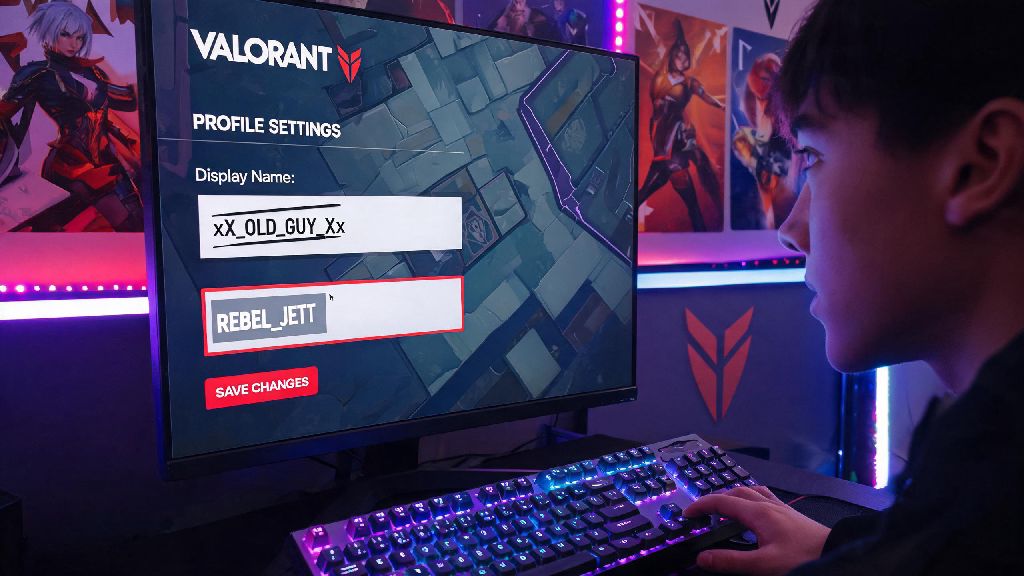
If you’ve ever regretted picking that silly meme name you thought was funny during beta, or you’re rebranding your gaming identity for competitive play, you’re not alone. Tons of players search how to change your Valorant name every month, and while the process isn’t complicated, there are a few pitfalls that can cost you time or even extra cash if you skip the fine print. I’ve gone through this process three times myself, first when I outgrew my cringey high school alias, then when I joined a competitive team, and most recently when I switched to streaming. I’ll walk you through every step, plus share the rules and hacks most guides skip.
How to change your Valorant name via Riot Account Settings
The process only takes a few minutes if you have your account details handy, and you can do it either from your desktop browser or the Riot Client directly. First, you’ll need to log into your official Riot Account page, not just the in-game settings, since Valorant uses your universal Riot ID across all Riot games including League of Legends and Teamfight Tactics. That means if you change your Valorant name, it will update across every Riot title linked to your account, so keep that in mind if you have a separate identity for other games.
Let’s break down the exact steps you need to follow:
It’s that simple, but don’t rush through the confirmation step. Riot only gives you one free name change for new accounts, and every subsequent change will cost 1300 Valorant Points, which is roughly $10 USD. I learned this the hard way when I changed my name on a whim right after creating my account, then had to pay to change it again two months later when I joined my first competitive team. Don’t make that mistake.
Riot’s official naming rules you need to follow before submitting
Even if you follow all the steps correctly, your name change request can get rejected if it violates Riot’s community guidelines, and you won’t get your Valorant Points refunded if that happens. I’ve seen dozens of players get stuck with temporary generic names after trying to submit something that breaks the rules, so it’s worth double-checking before you hit save.
First, your name can’t include hate speech, slurs, personally identifiable information, or references to illegal activities. That seems obvious, but a lot of players try to sneak in edgy jokes that end up getting flagged by Riot’s automatic moderation system, even if they don’t mean any harm. You also can’t use names that impersonate Riot employees, pro players, or official brand accounts, even if you think it’s a funny bit. Riot will force you to change it for free later, but you’ll lose the VP you spent on the initial change.
You also can’t use special characters that aren’t supported by Riot’s text system, or excessively long names that are hard for other players to read. The name field is capped at 16 characters, and you can only use letters, numbers, and a small selection of punctuation marks like underscores and periods. If you’re not sure if your desired name is allowed, test it first by searching for it in the in-game add friend field: if no one has it and it doesn’t throw an error, it’s most likely compliant.
What to do if your desired Valorant name is already taken
There’s nothing more frustrating than coming up with the perfect name, only to find out someone else already uses it. But you don’t have to settle for a weird misspelled version or add a bunch of random numbers to the end unless you want to. First, remember that your full Riot ID is your display name plus your unique tagline, so two people can have the same display name as long as their taglines are different. That means if your desired name “JettMain” is taken with the tag #NA1, you can still use “JettMain” with a different tag like #JETT or #0001, for no extra cost.
If you really want the exact display name with your preferred tag, you can wait for Riot’s periodic inactive name sweeps. Riot purges names from accounts that haven’t been logged into for more than 12 months every few quarters, so you might get lucky if the person who has your desired name hasn’t played in years. Don’t waste money on third-party name selling sites though. Most of them are scams, and Riot explicitly bans buying or selling accounts, so you could lose access to your account entirely if you go that route.
Another trick I use when I’m looking for a new name is to combine two unrelated words that fit my playstyle, or add a small relevant suffix like “fps” or “val” instead of random numbers. For example, if “SovaMain” is taken, “SovaSnipe” or “SovaMainVal” are both easy to read and memorable, without looking like you just smashed your keyboard to get an available name.
Frequently asked questions about Valorant name changes
First, a lot of people ask right after they figure out how to change your Valorant name if they can adjust it only for Valorant, not for other Riot games. Right now, the answer is no: your Riot ID is universal across all Riot titles, so any change you make will show up in League, TFT, and any other Riot game you play. If you want separate identities for different games, you’ll need to create separate Riot accounts, which is allowed as long as you don’t use them to cheat or smurf in Valorant.
Another common question is how long it takes for your new name to show up in game. Usually, it updates instantly, but sometimes it can take up to 24 hours if Riot’s servers are busy. If it still hasn’t updated after a day, log out of the Riot Client completely and log back in, that usually fixes the glitch. You don’t need to restart your PC or reinstall the game to make the change take effect, so don’t waste time doing that unless the logout trick doesn’t work.
People also ask if they can get a free name change if their current name is reported and forced to change by Riot. Yes, if Riot flags your name as violating community guidelines, they’ll give you a free name change token to use within a set time period, so you won’t have to spend VP to pick a new compliant name. If you think your name was flagged incorrectly, you can submit a support ticket to appeal the decision, but most appeals are denied unless there’s a clear moderation error. You can also submit a ticket if you’re charged VP for a name change that never went through, and Riot will usually refund you within 3 business days if the error was on their end.
At the end of the day, picking a name you’re happy with makes a huge difference in how you feel when you log in to play, whether you’re just queuing for casual unrated matches or climbing the ranked ladder. Now that you know how to change your Valorant name the right way, you can avoid the common mistakes that cost players time and money, and pick an alias that fits your unique gaming identity. Just remember to double check the rules and make sure you love your new name before you hit save, so you don’t waste your free change or hard-earned VP on a name you’ll grow tired of in a week.