You grab your headset, load up Valorant, and get ready to queue for your ranked placement match with friends, only to be hit with the dreaded "servers down for maintenance" pop-up. If you’re like most players, the first question that pops into your head is how long does Valorant maintenance last, and if you’ll have enough time to play before you have to log off for the night. We’ve all been stuck in this exact spot, so we put together this guide to cover everything you need to know about Valorant downtime, from standard wait times to what to do while you wait. I’ve sat through dozens of maintenance windows over the past few years, so I’ve picked up all the little hacks to make the wait less frustrating and know exactly what to expect when servers go offline.
How Long Does Valorant Maintenance Typically Last?
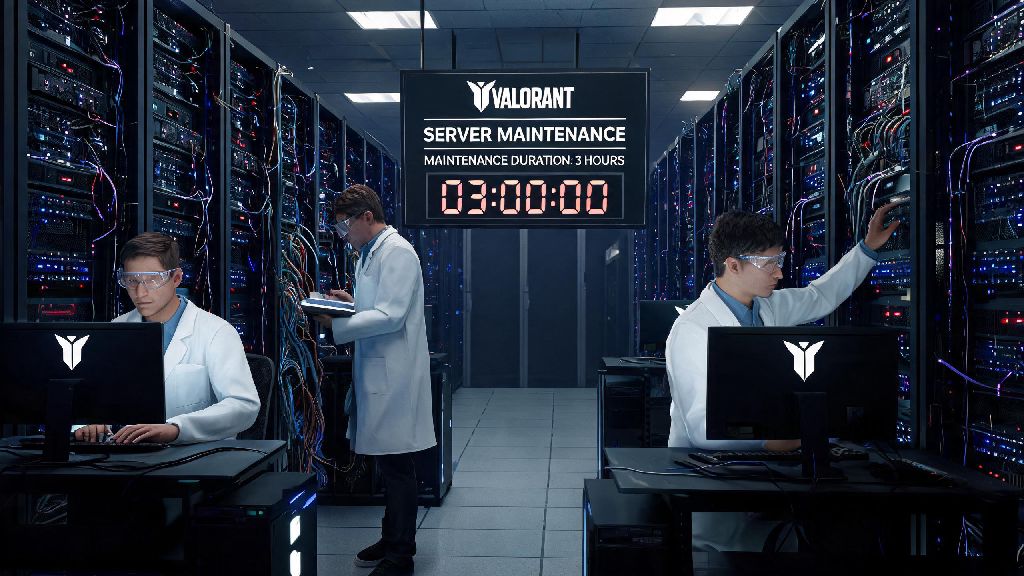
The length of Valorant maintenance depends entirely on what the team is rolling out during the downtime. For most regular scheduled patches that include small balance changes, bug fixes, and minor quality of life updates, downtime is pretty consistent across all regions. Standard scheduled patch maintenance runs between 2 and 4 hours for most regions, and Riot usually schedules these windows for low-traffic times to minimize disruption for the majority of players. For example, NA maintenance usually runs from 6 AM to 10 AM PST, when most players are either at work, school, or sleeping, so fewer people get locked out mid-session.
Smaller emergency hotfixes that address one critical bug, like an ability that crashes the game or a broken ranked exploit, are usually much shorter, running between 30 minutes and 1.5 hours total. These are rarely announced more than a few hours in advance, since they’re rolled out to fix urgent issues that are ruining active play sessions. On the other end of the spectrum, big content drops like new agent launches, new map releases, or the start of a new act or battle pass can take longer, usually running between 4 and 6 hours total. These bigger patches require more testing before launch, so the team takes extra time to make sure everything works as intended before letting players log back in.
Maintenance also rolls out region by region, not globally all at once. APAC regions usually get maintenance first, followed by EU, then NA and LATAM. That means if you have a smurf account in a different region, you might be able to play on that account while your home region is still down, if you’re desperate to get some game time in. Just don’t expect your main region’s servers to go live earlier than the announced window unless Riot posts an update saying the rollout is ahead of schedule.
What Factors Extend Valorant Maintenance Downtime?
Most of the time, Riot sticks pretty close to their announced maintenance window, but delays happen more often than you might think. I’ve had nights where I planned to grind ranked right after maintenance ended, only to see an announcement that downtime is extended another 2 hours because of an unexpected bug. These delays aren’t arbitrary, though; Riot usually pushes back server launch for good reasons that end up making the game better for everyone. The most common reasons for extended downtime include:
- Unexpected critical bugs found during pre-deployment testing that would break core game features if left unpatched
- Server infrastructure issues across multiple regions that require extra work to fix without risking data loss for players
- Last-minute adjustments to new content like agent abilities or map layouts to fix balancing errors spotted last minute
- Compatibility issues with Vanguard anti-cheat updates that could accidentally flag legitimate players as cheaters
Riot will always post updates on official social channels if maintenance is extended past the original announced window, so you don’t have to guess how much longer you’ll be waiting. For example, when the Iso agent launch patch dropped last year, maintenance was extended 2 hours because the team found a bug that let Iso’s double ability bypass spike defuse animations. They chose to delay launch instead of rolling out a broken patch that would have ruined thousands of ranked matches, which was a way better call for the player base overall. Delays can be frustrating, but they’re almost always better than playing a broken patch that forces you to deal with game-breaking bugs for weeks.
How to Check If Valorant Maintenance Is Over Early?
Sometimes the patch rollout goes smoother than expected, and Riot will bring servers back online 15 to 30 minutes earlier than the announced end time. If you’re waiting to jump in as soon as possible, there are a few reliable ways to check if maintenance is over without spamming your login button every 10 seconds. The most accurate source is the official Riot Games server status page, which updates in real time for every region, and will show a green “online” status for Valorant as soon as servers are live for your area.
The official Valorant X (formerly Twitter) account also posts regular updates during maintenance, including announcements when servers start rolling out to each region. Never trust third-party server status sites that ask for your Riot account login details, because these are almost always phishing scams designed to steal your account. A lot of pro players and content creators also get early access to new patches to test content before launch, so if you see your favorite streamer playing the new patch on Twitch, it usually means servers will go live for all players within 15 to 30 minutes.
Keep in mind that even after servers are marked as online, you might still get a maintenance error when you first try to log in. The client can take a few minutes to refresh its server status, so if you get an error, just close and restart the client once before you assume servers are still down. If you still can’t log in after 10 minutes of the official launch announcement, check the server status page again for any last-minute delay updates.
Productive Things to Do While Waiting for Valorant Maintenance to End
I used to waste entire maintenance windows refreshing the client every 30 seconds and complaining to my friends about how long the wait was, until I realized I could use that time to get a leg up on my ranked grind once servers go live. There are tons of small, useful tasks you can do during downtime that make your play sessions better once you’re able to log back in, so you don’t have to just scroll mindlessly through social media while you wait.
First, take 10 minutes to read the full patch notes for the new update. A lot of players skip this step and get caught off guard by agent balance changes or map updates that completely change how their main agent plays, so reading the notes first lets you plan what agents to play in your first few matches after launch. You can also use this time to tweak your settings if you’ve been wanting to test a new crosshair, adjust your sensitivity, or change your keybinds for abilities. Testing these changes during downtime means you won’t waste ranked matches messing around with settings while you’re supposed to be playing.
You can also use the downtime to warm up your aim in a single-player aim trainer so you're ready to climb as soon as servers go live. I like to run 10 minutes of flick training and 10 minutes of tracking training during maintenance, so I’m already warmed up and ready to win my first few ranked matches as soon as servers are online. If you’re waiting with friends, you can hop on a quick casual game of a different party game to pass the time, or go over team strategies for the new map or agent changes so you’re all on the same page when you queue together. You can also sort through your in-game collection, customize your player card, or plan out which battle pass rewards you want to unlock first for the new act.
At the end of the day, knowing how long does Valorant maintenance last takes a lot of the frustration out of running into unexpected downtime when you’re ready to play. Most standard patches will only keep you offline for a couple of hours, and even big content drops rarely go past 6 hours of downtime if there are no major issues. Always check official Riot channels for the most accurate updates, avoid sketchy third-party sites that ask for your login info, and use the wait time to prep for your next grind instead of refreshing the client on loop. If maintenance runs longer than expected, Riot usually offers small in-game rewards like free player cards or radianite points as an apology for the inconvenience. Next time you hit that maintenance pop-up, you won’t have to spam your group chat asking when servers are back – you’ll know exactly what to expect.