If you’ve ever been 20 minutes into downloading a new game only to get hit with a “not enough disk space” error, you know how frustrating that is. Valorant is one of the most popular tactical shooters right now, but many new players don’t check space requirements before hitting the download button. We’re breaking down exactly how much storage does Valorant take, plus all the extra factors that can make its file size grow over time, and easy fixes to free up space if you’re running low. We’ve tested installs across multiple drive types and account setups to give you the most accurate numbers possible.
How Much Storage Does Valorant Take for Base PC Installs?
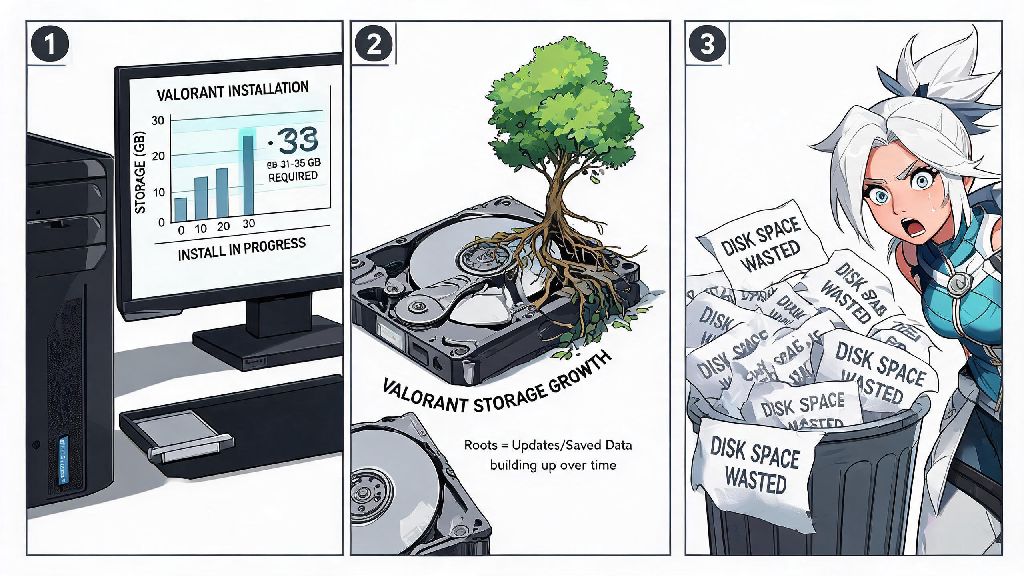
As of the latest patch, the base Valorant install sits between 31 and 35GB for most Windows users. This number changes slightly depending on your region, default language, and whether you opt in to extra asset packs during installation. Riot Games officially lists 35GB of free storage as a minimum system requirement for the game, but that number is just a baseline for the initial install. You should always reserve at least 10GB of extra free space on your drive for regular Valorant patch updates, even if you only plan to play occasionally. Small weekly patches are usually 1 to 3GB, but major act or episode updates can be as big as 8GB when they launch with new maps, agents, or game modes. You’ll notice almost no difference in file size if you install Valorant on an HDD versus an SSD, but you will see a massive difference in performance. Load times for maps and agent select are up to 70% faster on SSDs, so if you have extra space on your solid state drive, it’s worth using it for Valorant instead of sticking to a slower HDD.
Factors That Increase Valorant's Storage Footprint Over Time
The base install size is rarely the final size you’ll end up with after a few months of playing. A lot of hidden files and extra content build up over time that most players don’t even notice. These are the most common factors that add extra space to your Valorant install:
How to Check Your Current Valorant Storage Usage
If you’ve had Valorant installed for a while, you might be surprised how big its folder has gotten. Checking the total size only takes a minute, and it’s a good habit to do this every few months to catch unnecessary file buildup. The easiest way to find your install size is through the Riot Client. Open the client, head to your Library tab, click the three small dots next to the Valorant launch button, and select “Show in folder”. This will pull up the main Valorant install folder on your drive. Right click the folder, select “Properties”, and you’ll see the total file size listed in the pop-up window. If you don’t use the Riot Client shortcut, you can find the default install location at C:\Riot Games\Valorant, unless you chose to install it on a different drive during initial setup. If you moved the folder manually after installation, you’ll have to navigate to whatever drive you moved it to instead. If your Valorant install is over 50GB, you likely have leftover patch files or unused language packs taking up unnecessary space that you can safely remove to free up room for other games or files.
Easy Tips to Reduce Valorant Storage Usage Without Breaking the Game
You don’t have to delete other games to make room for Valorant updates. There are a few simple tricks you can use to cut down its file size by 5 to 10GB in just a few minutes, with zero impact on your gameplay performance. First, you can uninstall and reinstall the game once every 6 to 12 months. Old patch files and cached content don’t get removed automatically when new updates roll out, so a fresh install strips all that leftover junk out. Your account settings, skins, and match history are all saved to your Riot account, so you won’t lose any progress when you reinstall. Just make sure you have your login information handy before you delete the old install. Another quick fix is to remove unused language packs from your game settings. Open Valorant, head to the General tab in Settings, scroll down to the Language section, and select only the language you use regularly. Any extra language packs you installed before will be uninstalled automatically, freeing up space right away. You can also clear the game’s cache folders every few months. Close Valorant and the Riot Client completely, navigate to C:\Users\[Your Username]\AppData\Local\Riot Games\Valorant\Saved, and delete the Cache and WebCache folders. These folders will regenerate automatically when you launch the game next time, but all old temporary files will be gone for good. Never delete any files in the main Valorant game folder unless you know exactly what they are, as this can corrupt your install and force you to redownload the entire game. Stick to the steps we listed above to avoid mistakes. If you play on 1080p or 1440p resolution, you can also disable the high-resolution texture pack in your game settings to save another 2 to 3GB of space. You won’t notice any visible difference in graphics quality at those resolutions, but you’ll free up a decent chunk of space for other content. Storing Valorant on an SSD instead of an HDD will cut your map load times by up to 70%, even if you have a smaller SSD, it's worth allocating space for the game there to avoid getting left behind in agent select or loading into matches late.
At the end of the day, knowing how much storage does Valorant take can save you a lot of frustration when you’re eager to jump into a new act or play with friends. The base install size stays pretty consistent between patches, but it’s always smart to leave extra room on your drive for updates and extra content. If you notice your install getting bigger than 45GB, run through the quick tips we shared to free up space without ruining your gameplay experience. Compared to most modern AAA shooters that take up 100GB or more of space, Valorant is surprisingly light, so you won’t have to clear half your drive to enjoy a few rounds of ranked play.