If you’re stuck with a cringey Valorant nickname you picked when you first made your account back in your edgy teen phase, or you just rebranded your gaming handle across all platforms, you’re not alone. Thousands of players look up how to change Valorant nickname every month, and many end up confused by conflicting advice online, worried they’ll lose their ranked progress or get scammed by fake tools. This guide walks you through every part of the process, from official steps to hidden rules you won’t find on Riot’s basic help pages, so you can update your handle without stress.
How to Change Valorant Nickname: Official Riot Steps
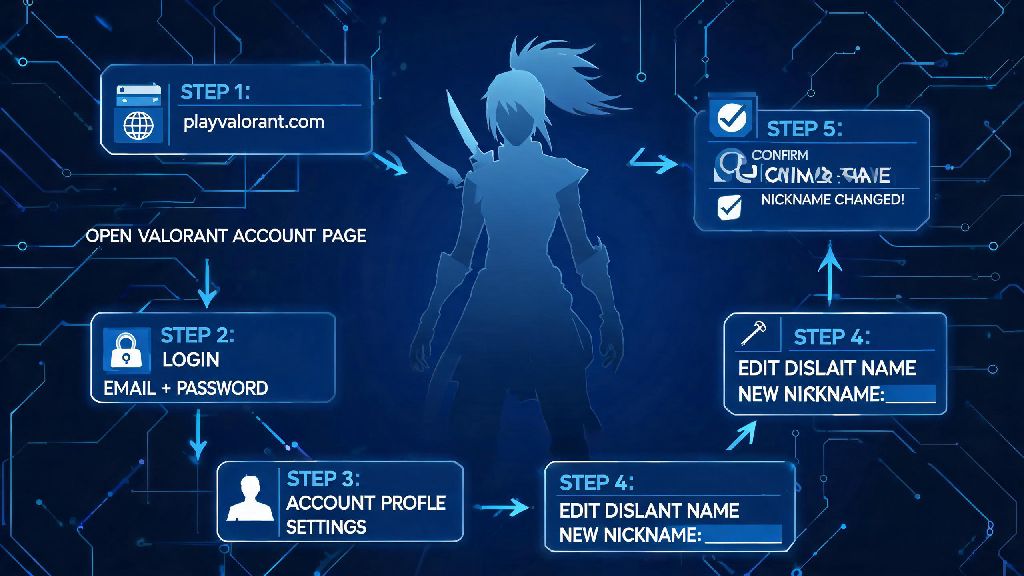
First, forget digging through your Valorant in-game settings to find the rename option—it doesn’t exist there. Riot ties all account changes to its central account portal, so you’ll need to access that through a mobile or desktop browser. Start by logging into your Riot account with the same credentials you use to sign into Valorant, and make sure you have two-factor authentication codes handy if you’re using a new device.
Once you’re signed in, navigate to the “Riot ID” tab in the left-hand menu. You’ll see your current display name and your tagline (the 3-5 character code after the # symbol) listed here. Click the edit button next to your Riot ID, and type in your new desired nickname. You can also adjust your tagline at the same time if you want. When you’re happy with your choice, hit save, and confirm the change when prompted.
Before you finalize the change, there are two critical details to note. You can only make one free Valorant nickname change every 12 months, so if you used your free credit less than a year ago, you’ll be asked to pay 1000 Valorant Points (roughly $10) to complete the change. Second, changes apply to all Riot games linked to your account, not just Valorant. That means if you also play League of Legends, Teamfight Tactics, or Legends of Runeterra, your display name will update across all of those games too.
Once you confirm, the change will take effect immediately. You don’t need to restart your Valorant client for it to show up, but if you’re already in a match, it will update after the game ends. Your ranked progress, skin collection, and friend list will all stay completely intact, so you don’t have to worry about losing any of your account data.
Key Rules You Need to Know Before Changing Your Valorant Nickname
Riot has strict naming policies for all its games, and violating these can lead to your new nickname being removed, or even your account being restricted temporarily. Before you pick your new handle, make sure you understand these rules fully to avoid wasting your free rename credit or VP.
Violations of Riot’s naming policy can result in a forced name change or temporary account restriction, so it’s not worth pushing the limits with edgy or offensive handles. Even if you think a joke is harmless, other players might report it, and Riot’s moderation team doesn’t make exceptions for “just a joke” excuses.
You don’t need to spend VP if you only want to adjust your tagline. A lot of players don’t realize this, and end up wasting their free rename credit just to change their # code, when they could have done it for free in two clicks. If you want to stand out, a unique tagline is a great way to do it without changing your core display name.
Common Mistakes to Avoid When Changing Your Valorant Nickname
Even if you follow the official steps, it’s easy to make small mistakes that cost you time, money, or your free rename credit. We’ve seen hundreds of players run into these issues, so we’re highlighting them here to help you skip the hassle.
One of the most common mistakes is misspelling your new nickname before confirming. Once you hit save, you can’t reverse the change for 12 months unless you pay 1000 VP, so take an extra 10 seconds to double-check the spelling. Double-check the spelling of your new nickname before confirming, as you can’t reverse the change for 12 months without paying. This is especially important if you’re using a pun or a reference that relies on correct spelling to make sense.
Another mistake is using personal information in your nickname. A lot of new players use their real first and last name, or their birthday, as their handle, not realizing how easy it is for other players to find their social media accounts or personal details with that information. Don’t use personal information like your real full name, address, or phone number in your nickname, even if you think it’s harmless. It’s a major privacy risk that can lead to harassment or doxxing.
Some players also assume that they have to pick a completely unique display name, but that’s not true. Riot uses the combination of your display name and tagline to identify your account, so multiple players can have the same display name as long as their taglines are different. For example, if “AceMain” is already taken, you can still use that name, just pick a different tagline like #NA1 or #VCTFan instead of the default one the system assigns.
Finally, don’t rush the process if you’re not 100% sure about your new nickname. Your free rename credit only comes once a year, so it’s better to wait a few days and make sure you love the new handle, instead of wasting your credit on a name you’ll get tired of in a month.
What to Do If Your Valorant Nickname Change Fails
Sometimes, even if you follow all the steps correctly, your nickname change might not go through. There are a few common reasons this happens, and most of them are easy to fix without contacting support.
The most common reason for a failed change is that you’re still within the 12-month cooldown for free renames. If you changed your nickname less than a year ago, you’ll either have to wait until the cooldown ends, or pay 1000 VP to make the change. You can check the date of your last rename in your Riot account settings, under the Riot ID tab.
Another common reason is that your desired nickname violates Riot’s naming policy, even if it doesn’t have obvious offensive terms. The auto-check system flags a lot of terms that are associated with hate groups, scamming, or harassment, even if they seem harmless to you. If you get a policy violation error, try a slightly different version of the name, or pick a new one entirely.
If your desired name is marked as taken, don’t panic. As we mentioned earlier, you can adjust your tagline to keep the same display name, and tagline changes are free. If your desired display name is taken, adjusting your tagline lets you keep the exact name you want without extra cost. You can use any combination of letters and numbers for your tagline, as long as it’s 3-5 characters long.
If you’re getting a system error when you try to save your new name, try clearing your browser cache, using incognito mode, or switching to a different browser. Sometimes old login data or browser extensions can interfere with the Riot account portal. If none of those fixes work, you can contact Riot support for help, but make sure you have your account verification details handy.
One important warning: Never use third-party tools claiming to change your Valorant nickname for free or bypass the cooldown. All of these tools are scams designed to steal your account credentials, credit card information, or in-game skins. The only safe way to change your nickname is through the official Riot account portal.
Updating your handle doesn’t have to be a stressful process, and knowing how to change Valorant nickname correctly lets you refresh your gaming identity without risking your account or hard-earned progress. As long as you stick to the official Riot steps, follow the naming policies, and avoid the common mistakes we’ve outlined, you’ll have your new nickname ready to go in less than five minutes. Whether you’re rebranding for a competitive team, ditching a cringey old handle, or just want something new, the process is simple, safe, and accessible for all players.