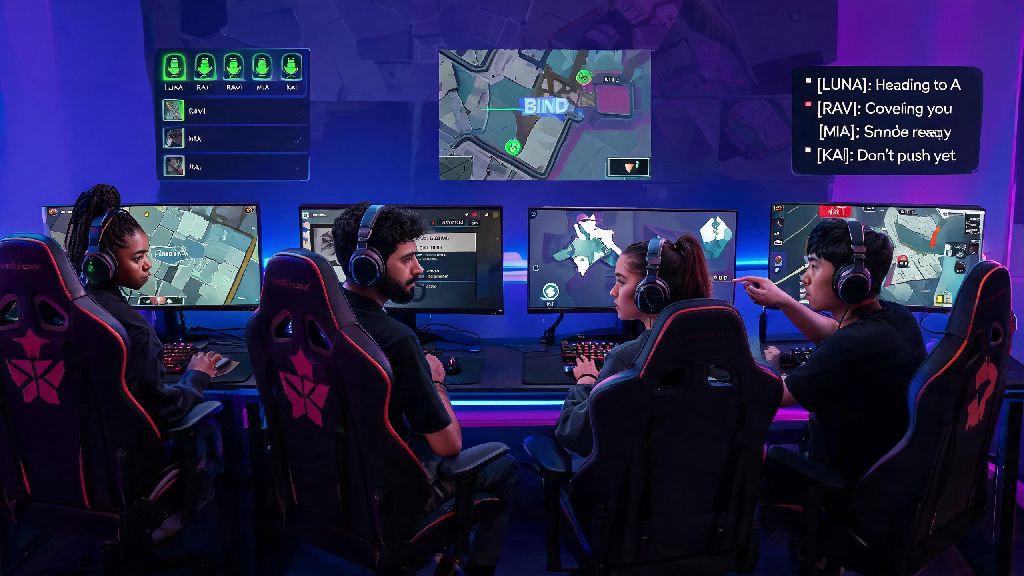
We’ve all been there: you’re mid-ranked match, spot an enemy sneaking around the back of B site, and fumble for 10 seconds trying to pull up text chat or toggle your mic on. By the time you get the callout out, your entire team has been wiped, and you lose the round that would have won you the game. Knowing how to chat in Valorant is one of the most underrated skills for climbing ranks and enjoying the game more, even if you only play casual unrated matches with friends. It’s not just about talking or typing, either — it’s about using the right comms for the right situation, adjusting settings to avoid mistakes, and skipping common pitfalls that tilt your whole team.
How to Chat in Valorant: Core Settings You Need to Adjust First
When you're first learning how to chat in Valorant, the settings menu can feel overwhelming with all the different toggle options, but you only need to tweak a handful of things to get set up correctly. Start with voice chat settings first: decide between push to talk and open mic, then set your preferred input device and adjust mic sensitivity so you don’t blast your team with keyboard clicks or background TV noise. Push to talk is almost always the better choice for ranked play, since open mic can accidentally leak private conversations or distracting sounds that throw your teammates off their game.
Next, adjust your text chat settings to match your playstyle. You can toggle access to all chat, team chat, party chat, and whisper messages separately, so if you don’t want to deal with toxic trash talk from the enemy team, you can turn all chat off entirely. You can bind separate push to talk keys for party chat and team chat if you play with a regular group, so you don’t accidentally share private party messages with random teammates you matched with. If you’re hard of hearing or often play without sound, turn on closed captions for voice chat too — they’re surprisingly accurate and will catch callouts you might miss otherwise.
Text Chat vs Voice Chat: When to Use Each for Best Results
One of the biggest mistakes new players make when figuring out how to chat in Valorant is using the wrong comms type for the situation, which leads to missed calls or unnecessary deaths. Text chat is great for non-time-sensitive information, like letting your team know you’re saving for an Operator next round, or that you have a full set of smokes to use on site. It’s also the right choice if you don’t have a working mic, or if you’re in a loud space where your mic would pick up too much background noise.
Voice chat is the better option for time-sensitive callouts, like warning your team about a flank or calling out how much health an enemy has left mid-fight. Never type during an active fight, even if you have a quick callout to share — even two seconds of looking away from your screen to type can get you killed, and cost your team the round. The in-game ping system is a great middle ground if you don’t want to talk or type, but keep in mind pings don’t always give full context, so you’ll need to use text or voice to add details like “that enemy is 10 hp” or “I already used my flash for this round.” I’ve seen way too many Silver players lose winnable rounds because they were typing a callout instead of shooting the enemy standing right in front of them, so always prioritize playing the game first before typing.
Pro Comms Rules to Avoid Tilt and Win More Rounds
Once you've got the basics down of how to chat in Valorant, following these simple rules will make your comms way more effective, and keep your team from tilting over unnecessary drama. Even if you’re only playing casual matches, these rules will make the experience better for everyone you play with:
Callouts should always include location, number of enemies, and any relevant status like low health or ability usage to be useful. If you’re playing with randoms, don’t force them to talk if they don’t want to either — many players perform better without speaking, as long as they listen to your calls and ping when they spot enemies. I usually mute all chat by default in ranked, because 90% of the messages there are either trash talk or useless spam, and it’s one less distraction to worry about while I’m playing.
Troubleshooting Common Valorant Chat Issues
If you're struggling with how to chat in Valorant because your inputs won't go through, these quick fixes will solve 99% of common issues that players run into. For voice chat problems, the first thing you should try is restarting your game client — Valorant often doesn’t recognize new mics or audio devices if you plug them in after you launch the game, so a quick restart will almost always fix the problem. If that doesn’t work, check your Windows or console sound settings to make sure your preferred mic is set as the default input device.
The first fix for almost any voice chat bug is to restart your game client and check your system sound input settings, so don’t waste 10 minutes digging through Valorant’s settings menu before trying that. For text chat issues, first make sure you didn’t accidentally toggle the chat channel off in your settings, or that you’re typing in the right channel (it’s easy to accidentally type in party chat when you meant to message your whole team). If you still can’t send text messages, you may have a temporary chat restriction from Riot for previous toxic behavior, which will expire on its own after a set amount of time. If you’re playing on console with PC friends, make sure cross-play chat is enabled in your settings too, otherwise you won’t be able to communicate with players on other platforms.
You don’t have to be a professional commentator to get value out of learning how to chat in Valorant. Even small changes, like adjusting your push to talk key to something easier to reach mid-fight or keeping your callouts short and specific, can make a huge difference in how often you win rounds and how much fun you have playing. Don’t stress if you’re nervous to talk to randoms at first, most players are just happy to get useful callouts that help them win. Next time you queue up, try using one new comms tip you learned here, and see how much smoother your matches go.