If you’re a casual FPS player coming from console hits like Halo Infinite or Call of Duty, you’ve probably wondered can you play Valorant with a controller instead of the standard mouse and keyboard setup. Riot’s tactical shooter is famous for its fast-paced, precision-focused gameplay that rewards sharp aim and quick reaction times, which many players assume are only possible with a mouse. But millions of players feel more comfortable holding a controller for long play sessions, and don’t want to put in the hours to learn a whole new input method just to enjoy Valorant with their friends. This guide breaks down everything you need to know about controller support for Valorant, from setup steps to whether it’s worth using for ranked play.
Can You Play Valorant With a Controller on PC and Console?
The short answer is yes, but support varies depending on which platform you’re playing on. For PC users, Valorant has offered partial native controller support since 2023, meaning the game will recognize most first-party controllers without any extra software. You can navigate menus, adjust settings, and play full matches with a controller right out of the box, but there’s one big catch. Controller users on PC will have no built-in aim assist, even when facing other controller users. Riot has repeatedly stated they have no plans to add aim assist for PC controller users, to keep the competitive playing field level for mouse and keyboard players. For the upcoming PlayStation 5 and Xbox Series X/S versions of Valorant, full controller support will be standard, with tuned aim assist designed to match other console tactical FPS games. Cross-play between PC and console will be optional, and console controller users will only be matched against other console players if they don’t opt in to cross-play with PC users. If you’re thinking of using a controller on PC, you don’t have to worry about getting banned for it as long as you’re using official hardware and no third-party cheat software. Riot has confirmed that native controller use is allowed in all game modes, including ranked.
Step-by-Step Setup for Controllers in Valorant
Setting up a controller to play Valorant on PC only takes a few minutes, as long as you’re using a compatible device. Follow these steps to get up and running without issues:
- Plug your controller into your PC via USB or connect it via Bluetooth (official Xbox, DualSense, and Switch Pro controllers are natively recognized)
- Launch Valorant and open the settings menu, then navigate to the Controls tab
- Scroll to the Controller submenu to map your movement, ability, and firing buttons to your preferred layout
- Adjust sensitivity sliders to match your play style, starting with 0.5 horizontal and vertical sensitivity for new users
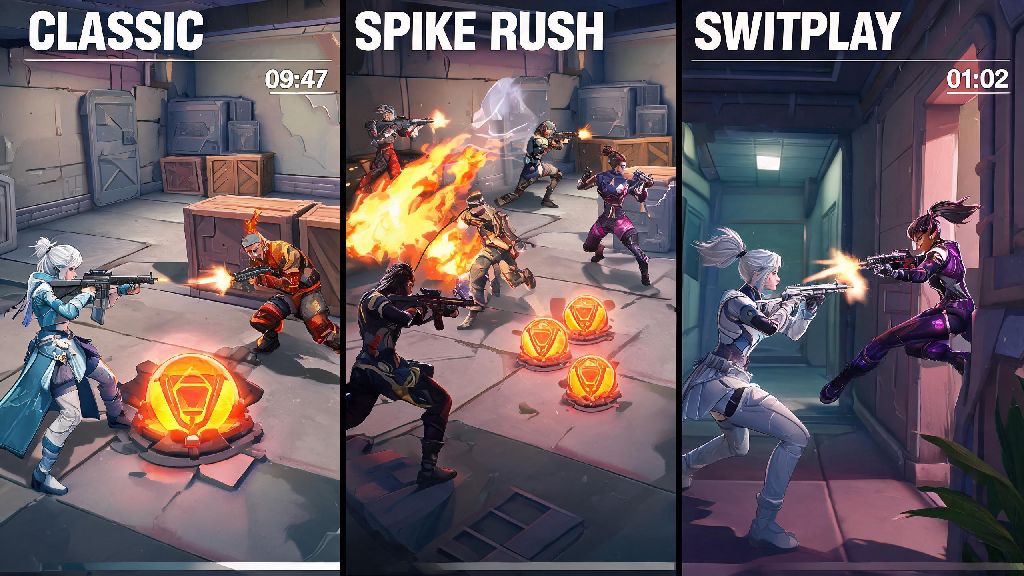
- Test your setup in a custom Spike Rush game before jumping into public matches to avoid misinputs
There are a few key things to keep in mind during setup to avoid problems down the line. Never use third-party input remapping software that injects code into your game client, as Riot’s Vanguard anti-cheat system may flag it as a cheat and issue a permanent account ban. If you want to remap your controller buttons, stick to the in-game mapping tool or official manufacturer software like Xbox Accessories or DualSense Firmware Updater that doesn’t interact with the game client directly. Official first-party controllers are the only ones guaranteed to work without compatibility issues. Many third-party budget controllers may not be recognized by Valorant, or may have input lag that makes gameplay frustrating. If you’re shopping for a new controller specifically for Valorant, stick to first-party options for the most reliable experience.
Pros and Cons of Using a Controller for Valorant
Before you commit to using a controller for all your Valorant play sessions, it’s important to weigh the benefits and drawbacks to see if it’s the right fit for your play style. The biggest benefit for most players is comfort. Reduced hand and wrist strain compared to long hours of mouse and keyboard play is a huge plus for players who game for 3+ hours a day, or who have existing repetitive strain injuries from work or other hobbies. Controllers are also far more familiar if you primarily play console games, so you won’t have to spend weeks learning new muscle memory to be able to hold your own in casual matches. For players who only play Valorant a couple times a week with friends, the lower learning curve is a big win. But there are significant downsides that you can’t ignore, especially if you care about performance. As we mentioned earlier, there’s no aim assist for PC controller users, which means you’ll be at an immediate disadvantage against even average mouse and keyboard players. Flick shots, precise headshots, and fast ability lineups are all far harder to pull off with a controller’s analog sticks than with a mouse. You’ll also have fewer buttons available at a glance, so you may struggle to pull off fast ability combos that require pressing multiple keys at once. For example, a Jett player on mouse and keyboard can press space to updraft, E to tailwind, and left click to fire all in less than a second, while a controller user will have to cycle between buttons to pull off the same combo.
Is a Controller Viable for Competitive Valorant Play?
This is the question most serious players ask, and the answer depends entirely on what you consider “competitive” play, and which platform you’re on. If you’re only playing casual unrated or Spike Rush matches with friends for fun, a controller is totally viable. You’ll be able to have a good time, and you might even hold your own against lower-ranked mouse and keyboard players if you put in a little practice. But if your goal is to climb the ranked ladder on PC, you’re going to run into walls very quickly. I’ve queued into hundreds of Silver and Gold ranked matches over the past year, and I’ve only encountered a handful of controller users. Almost all of them finished at the bottom of the scoreboard, even when they were clearly experienced controller players from other FPS games. If your goal is to climb to Platinum or higher ranks on PC, a controller will hold you back far more than it helps. Even if you put in dozens of hours of practice to perfect your aim, you’ll still be slower to adjust your crosshair and hit long-range headshots than average mouse users. For the upcoming console versions of Valorant, though, controllers will be the standard competitive input method. Riot is tuning aim assist specifically for console play to make sure matches feel fair, and all professional console Valorant leagues will use controllers as the default input. Stick to mouse and keyboard if you plan to cross-play between PC and console versions once cross-play rolls out, because PC mouse users will have a significant advantage over console controller users in cross-play lobbies. If you only plan to play on console, you don’t have to worry about that disadvantage at all.
At the end of the day, can you play Valorant with a controller? Absolutely, as long as you understand the tradeoffs. For casual PC players who just want to mess around with friends, or console players picking up the game when it launches on PlayStation and Xbox, it’s a great, comfortable way to enjoy the tactical FPS. If you’re serious about climbing ranks or competing in PC Valorant tournaments, though, you’re better off sticking to the standard mouse and keyboard setup to avoid putting yourself at an unnecessary disadvantage. Don’t let meta takes stop you from using the input method that’s most fun for you, though – at the end of the day, Valorant is a game, and the whole point is to enjoy yourself.