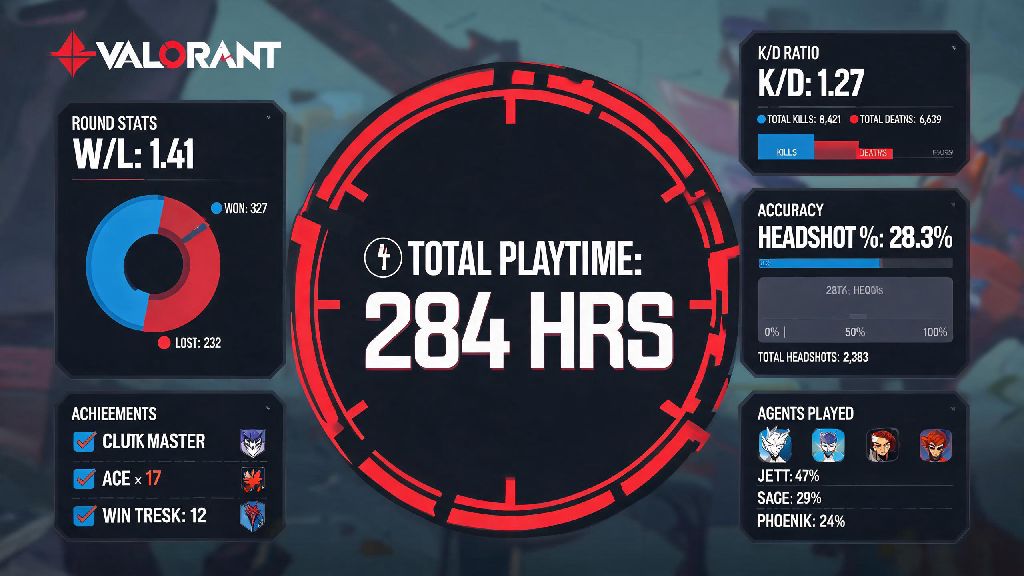
If you’re like most Valorant players, you’ve probably lost track of how many late nights you’ve spent clutching 1v3 rounds, grinding rank, or messing around with friends in Spike Rush. If you’ve ever wondered how to check how many hours you have on Valorant, you’re not alone – thousands of players look for this info every week to see how much time they’ve invested in the game. Playtime isn’t just a fun number to flex on your squad either. It can help you spot unhealthy gaming habits, track your progress as you climb ranks, and even decide if you’re ready to try out for a local competitive team.
How to Check How Many Hours You Have on Valorant by Platform
Riot Games doesn’t offer native playtime tracking for Valorant right now, so the process looks a little different depending on what device you play on. For PC players, the easiest way is to use a trusted third-party stats tracker that pulls data directly from Riot’s public API. You’ll just need to link your Riot account and make sure your profile privacy settings are set to public for the tracker to pull accurate data. Never link your Riot account to untrusted third-party sites, as you risk losing access to your account to phishing scams or account theft.
For console players on Xbox or PlayStation, you don’t need any third-party tools at all. Just head to your console’s game activity tab, select Valorant from your list of recently played games, and you’ll see total playtime right there. Keep in mind that console playtime counts every minute the app is open, including time you spend in the main menu or waiting in queues, so it might be a little higher than actual match time. For Valorant Mobile players, you can check total playtime through your device’s built-in screen time tracker, or link your Riot account to a PC tracker tool to see cross-platform playtime all in one place.
Pros and Cons of Using Third-Party Playtime Trackers
Most players rely on third-party trackers for playtime data, but these tools aren’t perfect. It’s important to weigh the benefits against the risks before you share any account info. Here’s what you can expect:
So if you’re going to use a third-party tracker, stick to well-known options that have been around for years and have positive reviews from the Valorant community. You don’t want to lose a skin collection you spent hundreds of dollars on just to check your total playtime.
What Your Valorant Playtime Actually Tells You
A lot of players fixate on total hours as a measure of skill, but that’s not always an accurate comparison. For example, someone with 500 hours of only casual Spike Rush play will likely have a different skill level than someone with 500 hours of only Immortal-ranked competitive play. Playtime only matters if you’re using that time to practice intentionally. If you notice you have 200 hours logged in the last month and you’re still stuck in Bronze, you might want to adjust your practice routine instead of just grinding more unstructured games.
Playtime is also a great tool to spot burnout risk before it hits. If you have 8+ hours a day logged and you’re finding yourself getting tilted more often than not, or you’re not having fun anymore, it’s probably time to take a few days off. I’ve seen players brag about 2,000+ hours in Valorant, but many of them admit half that time was spent AFK in lobbies or messing around with friends in custom games, so the number doesn’t tell the full story. Don’t let your total playtime make you feel inferior to other players – everyone learns at their own pace, and casual play is just as valid as grinding for a higher rank.
Creative Ways to Use Your Valorant Playtime Data
Once you have your total playtime number, you can do a lot more with it than just flex on your friends. For example, if you’re trying to get better at a specific agent, you can track how many hours you spend on them vs. your win rate to see if you’re improving over time. You can also set monthly playtime limits to make sure you’re not neglecting school, work, or real-life responsibilities. I know a lot of players who use playtime limits to make sure they don’t fall behind on assignments during the school year, and it works really well for them.
Many competitive amateur teams ask for total playtime as part of tryout applications, so having that number ready can save you time if you’re looking to join a team soon. You can also use playtime data to calculate how much value you’ve gotten out of any skins or battle passes you’ve bought. For example, if you spent $20 on a battle pass and played 100 hours that act, that’s only 20 cents an hour of entertainment, which is way cheaper than going to the movies or most other hobbies. If you’re trying to cut back on gaming time, you can check your playtime once a week to track your progress, and reward yourself when you hit your weekly limit goals.
At the end of the day, whether you’re a casual player who only hops on for a few games a week or a competitive grinder chasing Radiant, knowing how to check how many hours you have on Valorant gives you useful context for your time spent in the game. Just remember that the number itself isn’t a measure of your worth as a player, and the most important thing is that you’re having fun while you play. If you haven’t checked your playtime before, give one of the trusted tracker tools a try this week – you might be surprised at how much (or how little) time you’ve actually spent running around Bind or Ascent with your squad.