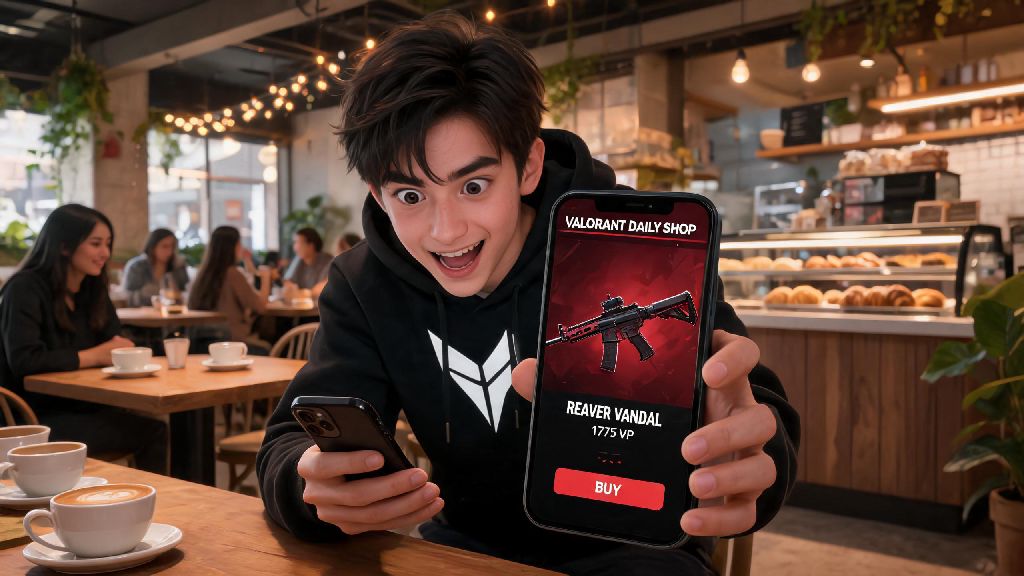
We’ve all been there: you’re waiting for your coffee at a café, scrolling through TikTok, and see someone showing off a brand new Reaver Vandal skin that you’ve been begging Riot to add to your daily shop for months. Your desktop is 20 minutes away at home, and you don’t want to wait till you get back to see if you got lucky that day. That’s exactly why knowing how to check Valorant shop on phone is one of the most useful quality of life tricks any Valorant player can learn. No more rushing home just to be disappointed by a shop full of skins you have zero interest in, no more missing out on limited-time bundles because you couldn’t log on during the 24-hour window. In this guide, we’ll walk you through all the safe, working methods to access your personal shop from any mobile device, plus red flags to avoid so you don’t put your account at risk.
How to Check Valorant Shop on Phone: 3 Safe, Working Methods
All of the methods below follow Riot’s terms of service, so you don’t have to worry about getting your account banned for using them. They work for both iOS and Android devices, and take less than a minute to set up the first time you use them.
The first and most recommended option is the official Riot Mobile app. If you use iOS, head to the App Store and search for Riot Mobile, making sure you download the app published directly by Riot Games Inc. Android users can find the same app on the Google Play Store. Once downloaded, open the app and log in with the exact same Riot account credentials you use for Valorant, including any two-factor authentication steps you have enabled. After logging in, select the Valorant icon from the list of Riot games linked to your account, then tap the shopping bag icon at the bottom of the screen. Your full daily shop, featured bundles, and owned skin collection will load immediately. 100% safe, no risk of account bans, and you also get access to extra features like match history, friend status updates, and Valorant esports news right in the app.
The second method is using an authorized third-party tracking site on your mobile browser. Platforms like Valorant Tracker use Riot’s official public API to pull your account data, so they never store your password or sensitive information. To use this method, open your phone’s browser, navigate to a trusted tracker site, click the login button, and select “Sign in with Riot Games”. You’ll be redirected to Riot’s official login page, where you can enter your credentials and grant the site read-only access to your account data. Once logged in, navigate to the “My Shop” tab on the tracker site to see your current daily offers. This option is perfect if you don’t want to download another app to your phone, or if you only need to check your shop once in a while.
The third method works best for players in regions where Riot Mobile is not yet available. Open your mobile browser, turn on desktop mode in your browser settings, then navigate to the official Riot Games account login page. Log in with your Valorant account, then select Valorant from your list of linked games. You’ll be able to access your shop through the account dashboard, though the formatting may be a little wonky on smaller phone screens. You won’t get any extra features with this method, but it’s a solid backup if the other two options don’t work for you.
Common Risks to Avoid When Checking Your Valorant Shop on Mobile
While the methods above are completely safe, there are a lot of scams and fake tools floating around online that target Valorant players looking for quick ways to check their shops. I’ve seen dozens of players in my local Valorant discord get their accounts stolen last year because they used a random shop check site they found on Twitter that asked for their username and password. Most of them never got their accounts back, and lost hundreds of dollars worth of skins they’d collected over years of playing. So it’s not a small risk, it’s something you need to take seriously.
Never enter your Riot password on any site that isn’t officially owned by Riot Games or a verified API partner. Any legitimate tool that uses Riot’s API will redirect you to Riot’s official login page to enter your credentials, so you never actually type your password into the third-party site itself. If a site asks you to enter your Riot username and password directly on their page, close it immediately – it’s a phishing scam designed to steal your account.
You should also avoid downloading unvetted APK files from random websites, even if they claim to let you check your Valorant shop for free or unlock extra features. Many of these APKs contain malware that can steal your personal data, access other accounts on your phone, or even lock you out of your device entirely. Stick to apps downloaded directly from the Google Play Store or Apple App Store, and always check the developer name before you download.
Finally, stay away from any tool that claims it can refresh your daily shop, guarantee you specific skins, or give you free Valorant points. These tools are all 100% scams, and if you use them, you run the risk of getting your Valorant account permanently banned. Riot will never ban your account for using a read-only API tool to check your shop, but any tool that tries to modify your account data or interact with game servers is against the terms of service.
Pro Tips to Get the Most Out of Mobile Valorant Shop Checks
Once you’ve picked a method that works for you, there are a few small tricks you can use to make the process even more convenient, and make sure you never miss a skin you’ve been waiting for. For example, I’ve had the ChronoVoid Vandal on my wishlist for 8 months now. I set up a notification on Valorant Tracker, and last month I got a push alert while I was at a friend’s birthday dinner. I pulled up the shop on my phone, bought the skin right there, and didn’t have to worry about missing it before the reset the next morning.
Set up a skin wishlist on your chosen tracking tool as soon as you can. Most legitimate third-party trackers and the Riot Mobile app let you mark skins you want, and will send you a push notification, email, or text alert as soon as that skin appears in your daily shop. This saves you from having to manually check your shop every single day, and you won’t have to scroll through pages of skins you don’t care about to see if you got lucky.
If you have multiple Valorant accounts (like a smurf account for playing with lower-rank friends, or a separate account for competitive play), use a third-party tracking site instead of the Riot Mobile app. Most trackers let you switch between multiple linked accounts in one tap, so you don’t have to log out and log back in every time you want to check the shop on a different account. It’s a huge time saver if you manage more than one account.
Check your shop 10 minutes before the daily reset if you’re on the fence about buying a skin. The daily shop resets at the same time every day for your region, so you can plan ahead to make a decision before the offers disappear. If you’re worried about forgetting to check, set a daily reminder on your phone for 10 minutes before reset time, so you never miss a chance to grab a skin you want.
One more thing most players don’t know: You can complete skin purchases directly through the official Riot Mobile app. You don’t have to wait till you get home to your PC to buy a skin you see in your mobile shop. Just tap the buy button on the skin you want, confirm your payment method, and the skin will be added to your account immediately, ready to use the next time you log in on your PC. It’s perfect for when you’re traveling or away from home for an extended period of time.
Troubleshooting Common Mobile Valorant Shop Issues
Even with the most reliable tools, you might run into occasional issues when trying to check your shop on your phone. Most of these problems have quick, simple fixes that take less than a minute to try, so you don’t have to stress if your shop won’t load when you need it to.
The most common issue is the shop not loading at all, or showing a blank screen when you tap the shop icon. First, check your internet connection. If you’re on mobile data, try switching to a wifi network if one is available, or move to an area with better signal. If your internet is working fine, check if you have the latest version of the Riot Mobile app or the latest browser update installed. Outdated app versions often have bugs that prevent the shop from loading properly, and updating usually fixes the problem right away.
If you log in and see a shop that doesn’t match the one you see on your PC, you’re almost certainly logged into the wrong Riot account. A lot of players have multiple Riot accounts for different games, or old accounts they don’t use anymore, so it’s easy to accidentally log into the wrong one. Just log out of the app or browser, then log back in with the correct credentials for your main Valorant account.
If you see a “shop unavailable” error, wait 30 minutes before trying again. Riot runs small server maintenance windows right around the daily shop reset time for most regions, so the shop may be unavailable for 15 to 30 minutes while the new offers are being loaded. This is completely normal, and it affects both PC and mobile access, so you don’t need to worry about your account being banned or locked.
If you’re using a third-party tracking site and the shop data looks outdated, try re-authorizing your Riot account connection. Sometimes the API link between the tracker and Riot’s servers gets disrupted, especially after Riot pushes a game update. Just log out of the tracker site, then log back in with your Riot account to refresh the connection, and your latest shop data should load immediately.
At the end of the day, learning how to check Valorant shop on phone is all about making your life as a player easier. You don’t have to rearrange your schedule or rush home just to see if your favorite skin finally popped up, and you never have to miss a limited-time bundle again because you were away from your PC. As long as you stick to official or verified trusted tools, you won’t put your account at risk, and you’ll save hours of unnecessary time over the course of your Valorant playtime. Next time you’re out and about and see someone raving about a new skin drop, you’ll know exactly how to pull up your shop in 30 seconds or less.