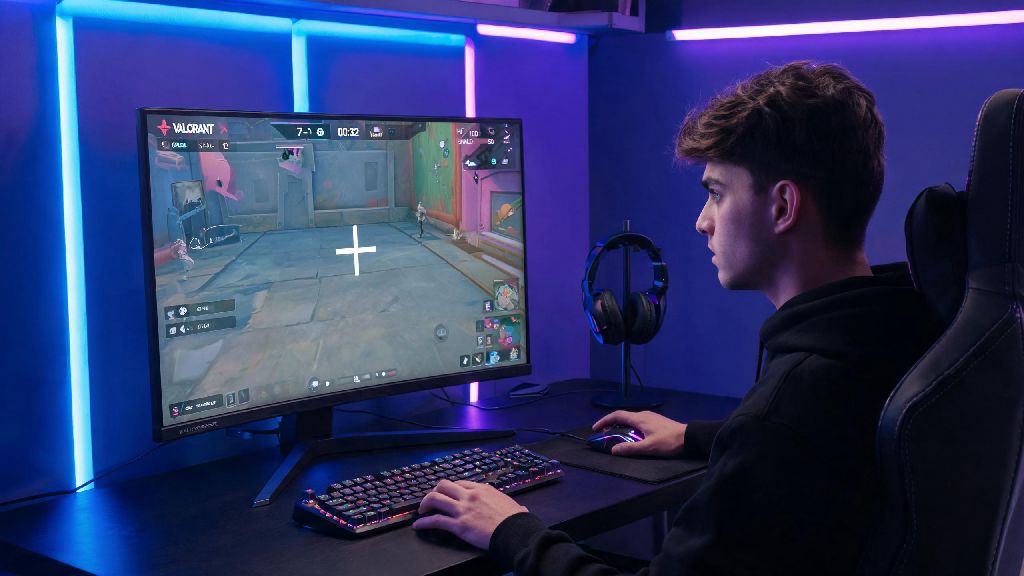
If you’ve ever watched a pro Valorant player land a flawless 4K and wondered how their aim is so consistent, their crosshair is half the battle. A well-tuned crosshair removes visual clutter, helps you line up headshots faster, and cuts down on missed shots that cost you rounds when you’re climbing ranked. Most players don’t want to spend hours tweaking sliders to find the perfect setup, which is why knowing how to copy crosshair valorant is one of the fastest ways to upgrade your gameplay without grinding aim trainers for hours. I’ve tested every crosshair copying method over three years of hovering Immortal rank, and I’ve broken down the simplest, most reliable ways to grab any crosshair you want, plus fixes for the annoying issues that usually pop up when you try to import settings.
How to Copy Crosshair in Valorant: 3 In-Game Methods That Work in Seconds
You don’t need any third-party tools or mods to copy a crosshair in Valorant, every method works directly through the game’s official menu system. I’ve ranked these methods from fastest to most accurate, so you can pick the one that fits your situation. All of them work for every game mode, and won’t trigger any anti-cheat flags, so you don’t have to worry about account bans.
I’ve found the first method works best for casual players who stumble across a great crosshair mid-rank grind, while code imports are my go-to when I’m testing pro player setups before a tournament scrim. One thing to watch out for: if a player has their crosshair profile set to private, you won’t be able to copy it from their profile, so you’ll need to ask them to send you the code directly.
Common Crosshair Copying Errors and How to Fix Them
Even if you follow the steps exactly, you might run into issues where your copied crosshair doesn’t look right, or won’t import at all. I’ve had every one of these issues pop up at least once, so these fixes are tested and work 99% of the time.
Code not working errors usually happen when you copy extra spaces or characters along with the code. Double check that you’re only pasting the 20-30 character code, no extra spaces before or after. If it still doesn’t work, the code might be for an older patch, so ask the person who shared it for an updated version. Riot occasionally adjusts crosshair settings with major patches, so codes from 2022 or earlier often no longer work.
Copied crosshair looks different in game is almost always caused by your resolution settings. If you play on a stretched resolution and the person you copied from uses native, the crosshair will be wider or thinner than you expected. You can fix this by adjusting the “crosshair thickness” slider by 0.5 increments until it matches the look you wanted. You might also need to tweak the inner and outer line offsets if you’re playing on a very small or very large monitor.
If the copy button is greyed out on a player’s profile, that means they’ve turned off crosshair sharing in their privacy settings. You won’t be able to grab it from their profile, so you’ll either have to ask them for the code, or manually match the sliders if you have a screenshot of their settings. It takes 5 minutes to copy sliders manually, so it’s worth doing if you really love the crosshair.
Should You Adjust a Copied Crosshair to Fit Your Playstyle?
A lot of players make the mistake of copying a pro’s crosshair and using it exactly as is, without any tweaks, and wonder why their aim gets worse for the first few days. Pro crosshairs are tuned for their playstyle, resolution, and even the size of their monitor, so it’s rare that a copied crosshair will be perfect for you right away.
For example, if you main duelists like Jett or Raze who peak corners fast, you might want a slightly smaller crosshair than a pro sentinel main who holds long angles for most of the round. If you struggle with visual clutter, you might want to remove the outer lines of a copied crosshair to make it less distracting when you’re in close-quarters fights.
The only non-negotiable setting you should keep from a copied crosshair is the center dot and outline settings – those have the biggest impact on how easy it is to line up headshots at different ranges. You can tweak thickness, size, and color to match what’s most visible on your monitor. I’ve copied over 20 pro crosshairs over the years, and I always spend 10 minutes in the practice range testing it against different wall colors and moving bots before I use it in ranked. If you can’t see the crosshair clearly against Bind’s orange walls or Haven’s grey concrete, it’s not the right crosshair for you, no matter how good it works for a pro player.
How to Test a Copied Crosshair Before Using It in Ranked
You never want to test a new crosshair in a ranked game, especially if you’re close to ranking up. A bad crosshair can throw off your aim for the entire match, and cost you the RR you worked hard to earn. I use a simple 3-step test to make sure a copied crosshair works for me before I take it to competitive play.
First, spend 5 minutes in the practice range shooting static bots at medium and long range. If you’re missing more headshots than you usually do, the crosshair is either too big or too small for your preference. You can also test it against spike plants and defuse animations to make sure it doesn’t get lost when you’re focusing on objective plays.
Next, play a 10-minute unrated or swiftplay match. Pay attention to how easy it is to see the crosshair when you’re moving fast, peeking corners, and fighting against different agent abilities like smoke or flash. If you lose track of it mid-fight, adjust the outline thickness or change the color to something more contrasting. Red or cyan are the most popular crosshair colors for a reason, they show up against almost every map texture.
Test it in a spike rush or deathmatch game where you’re fighting players of different skill levels. If you’re landing consistent headshots and it feels natural after 20 minutes, it’s ready to use in ranked. Don’t feel like you have to stick with a crosshair just because it works for a pro – if it doesn’t feel right for you, it’s not going to help you win games. I switch my crosshair every 2-3 months if I’m in an aim slump, and it usually helps me get back to winning rounds fast.
At the end of the day, the best crosshair is the one that feels invisible when you’re playing, and lets you focus on your aim instead of the lines on your screen. Knowing how to copy crosshair valorant saves you hours of tweaking settings, and lets you test proven setups from players who have already put in the work to find what works. Don’t be afraid to test different crosshairs, adjust them to fit your playstyle, and switch things up if you’re in a slump. Even small changes to your crosshair can make a huge difference in how many rounds you win, and how much you enjoy the game.