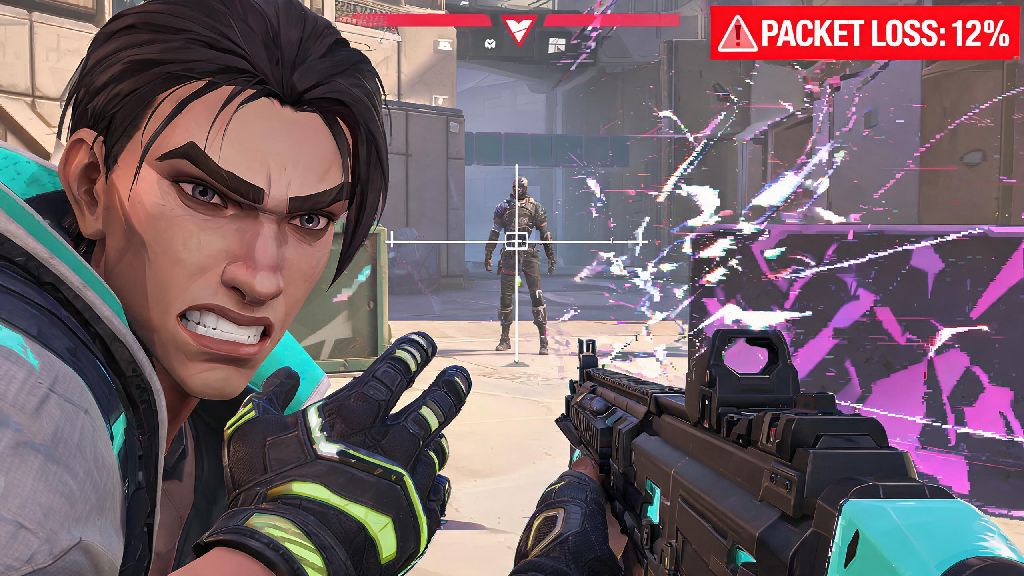
You're mid-clutch on Bind, peek A short to take out the last defending enemy, crosshair locked perfectly on their head. You fire, but instead of getting the kill, you rubberband two steps back, your shots don't register, and they take you out before you can react. You glance at the top of your screen and see the dreaded 12% packet loss notification staring back at you. This is one of the most frustrating issues you can face in Valorant, and it's entirely out of your control if you don't know how to troubleshoot it. If you're tired of losing rounds to connection problems that have nothing to do with your skill, learning how to fix packet loss Valorant issues will help you play consistently every time you queue up.
Step 1: Diagnose the Root Cause Before You Try to Fix Packet Loss Valorant Issues
Before you start changing settings or calling your ISP, you first need to confirm that packet loss is actually the problem, and not high ping, FPS drops, or server-side outages. Packet loss happens when small bits of data sent between your PC and Riot's game servers fail to reach their destination, leading to delayed inputs, missed shot registration, rubberbanding, or random mid-match disconnects. Even 1% packet loss is enough to throw off your gameplay, so don't write off small numbers as irrelevant.
Start with the in-game diagnostic tool: press ESC mid-match, navigate to the stats tab, and look for the packet loss percentage listed next to your ping. If it's consistently above 0% across multiple matches, the issue is worth addressing. Next, test if the problem is Valorant-specific or a general network issue by running a 5-minute ping test to a public DNS like 8.8.8.8. If you see packet loss during that test, the issue is with your home network or ISP, not the game itself. Always rule out server-side issues first by checking Riot's official server status page, because you can't fix problems on their end no matter how many settings you adjust.
Network Adjustments to Eliminate Packet Loss Fast
90% of Valorant packet loss issues stem from unstable home network setups, not problems with the game or Riot's servers. Small, low-effort changes to your network are usually all you need to resolve connection issues for good, without spending any money. Try these adjustments first before moving on to more complex fixes:
I've had so many friends tell me they tried everything to fix their connection issues, only to realize their little sibling was streaming anime in the next room while they played ranked. It sounds silly, but these small background uses add up faster than you think. Never use public Wi-Fi for competitive Valorant play, since shared networks almost always have unmanageable packet loss from dozens of users connecting at once.
In-Game and Client Settings That Reduce Packet Loss
If your network setup is solid but you're still seeing packet loss, a few quick adjustments to your Riot Client and Valorant settings can often resolve the problem. First, make sure you're connecting to the closest possible server region. Open the Valorant play screen, click the server selection dropdown above the play button, and pick the region with the lowest listed ping and no reported issues. Connecting to a server on the other side of the country will almost always lead to higher packet loss, no matter how good your internet is.
Next, open your Riot Client settings and turn off the "Allow downloads during gameplay" toggle. The client will often download small patch updates or shader files in the background while you're playing, eating up bandwidth that would otherwise go to your game connection. If you use a VPN for privacy or to play on other region servers, turn it off unless you absolutely need it. Most VPNs add extra data transfer steps that cause unnecessary packet loss, even ones marketed specifically for gaming. If you have to use a VPN, make sure it's set to use a server in the same region as your Valorant server to minimize extra travel time for your game data.
You can also flush your DNS cache every couple of months to clear old, outdated server address data that can cause connection issues to Riot's servers. Just open Command Prompt as an administrator, type "ipconfig /flushdns" and hit enter. The whole process takes 10 seconds, and it often fixes random, intermittent packet loss that you can't trace to any other cause.
When to Contact Your ISP or Upgrade Your Hardware for Good
If you've tried all the fixes listed above and you're still seeing consistent packet loss above 2% across all servers and network tests, the issue is likely with your internet service or outdated hardware. First, test your connection directly through your modem to rule out a bad router. Plug your PC straight into the modem with an Ethernet cable, bypassing your router entirely, and run another ping test. If the packet loss goes away, your router is outdated or broken, and you need to replace it. Most free budget routers provided by ISPs aren't built to handle consistent gaming traffic, so upgrading to a mid-range gaming router will make a huge difference in connection stability.
If the packet loss is still there when you're plugged straight into the modem, the problem is with your ISP's service. Call their support line, explain that you're seeing consistent packet loss across all internet usage, and ask them to run a line test to your home. In many cases, there's a damaged cable running to your house or a problem with the local node in your neighborhood that they can fix for free. Don't let your ISP tell you packet loss under 5% is "normal" for gaming – even 2% packet loss is enough to mess up shot registration and cost you critical rounds, so push them to investigate the issue further.
At the end of the day, fixing connection issues doesn't have to be complicated, and most problems can be resolved with 10 to 15 minutes of testing. You don't need to be a tech expert to figure out how to fix packet loss Valorant problems, and the small amount of time you spend troubleshooting will save you hundreds of frustrating lost rounds down the line. Once you eliminate packet loss, you'll notice immediately how much more responsive your gameplay feels, and you'll be able to play at your full skill level without worrying about issues outside your control. If you're still having issues after trying all these steps, ask other players in your region if they're having similar problems – sometimes small, localized server outages don't show up on Riot's status page right away.