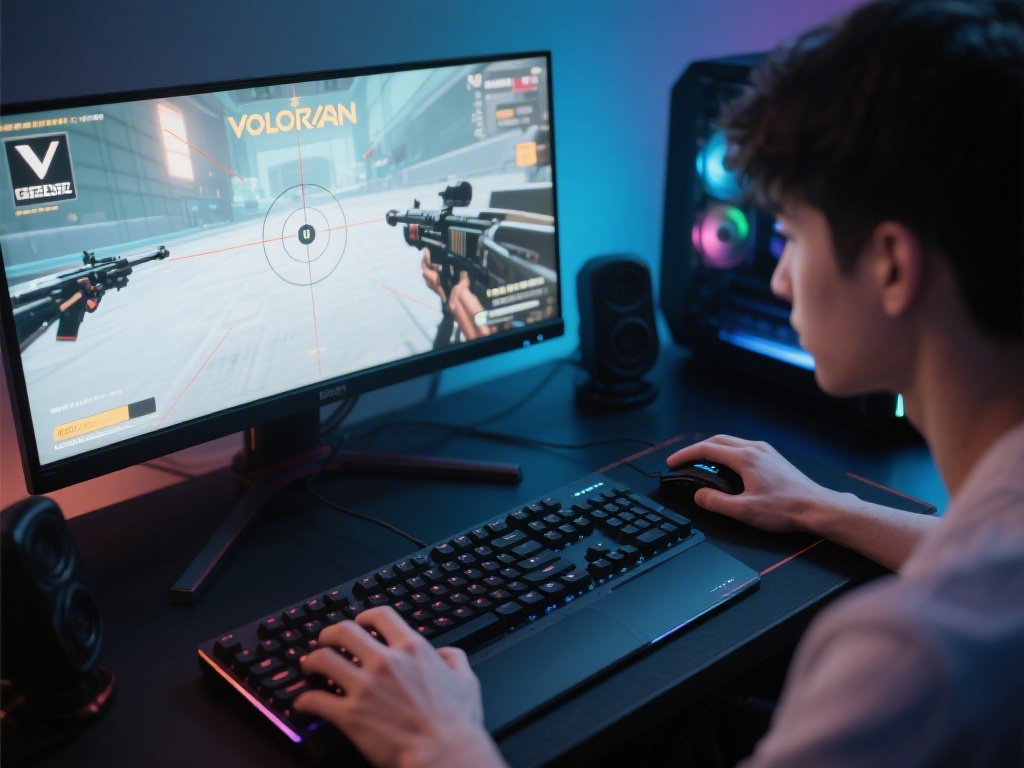
If you’ve ever sat down with a new device and wondered what is Valorant on, you’re not alone. Riot Games’ hit 5v5 tactical shooter has amassed a massive global player base since its launch, but its platform availability isn’t as widespread as some other competitive shooters like Call of Duty or Fortnite. I’ve tested Valorant on half a dozen different setups over the last three years, from old budget laptops to high-end custom gaming PCs, so I know exactly what works, what doesn’t, and what you can expect if you’re trying to run the game on less-than-ideal hardware. This guide breaks down every supported platform, hidden compatibility hacks, and performance tweaks to get you playing as smoothly as possible.
What is Valorant on Officially? All Supported Platforms
If you’re used to playing shooters across multiple devices, it can be frustrating to find out what is Valorant on is much more limited than other popular titles, but Riot’s narrow platform focus is part of why the game runs so smoothly even on low-end hardware. As of now, there are only three official platform statuses for Valorant, with no plans to expand to older hardware anytime soon. The full list of official supported and in-development platforms is below:
Any other platform, including MacOS, Linux, or older Windows versions, are not supported by Riot’s anti-cheat software Vanguard. I’ve tried running Valorant on Linux through Proton in the past, and Vanguard will immediately block your launch, even if you get the game files installed. You also won’t be able to access competitive play if you’re running an outdated Windows build, so make sure you update your OS before trying to queue for ranked.
Minimum and Recommended Hardware Requirements for PC
One of Valorant’s biggest selling points is that it’s designed to run on even the most basic consumer hardware, so you don’t need a fancy gaming setup to join your friends for matches. Riot publishes clear minimum and recommended specs that are very easy to hit, even if you’re using a 5+ year old laptop for gaming.
Minimum specs (30 FPS at 720p): Intel Core 2 Duo E8400, AMD Athlon 200GE, 4GB RAM, Intel HD 4000 integrated graphics, 20GB of free storage. These specs are good enough for casual unrated play, but you’ll struggle to react fast enough for competitive ranked matches at 30 FPS.
Recommended specs (144+ FPS at 1080p): Intel i3-4150, AMD Ryzen 3 1200, 8GB RAM, Nvidia GTX 1050 Ti / AMD Radeon R7 370, 20GB of SSD storage. This setup will give you smooth, consistent frames even during chaotic team fights with lots of abilities popping off on screen.
I’ve run Valorant on a 2018 laptop with integrated Intel UHD 620 graphics for casual unrated play, and it hit a steady 45 FPS at 720p when I turned all settings down. That’s more than enough if you’re just learning the agents and maps, but you’ll want the recommended specs if you plan to play competitive, where reaction time matters. You cannot run Valorant on a 32-bit operating system, even if you meet all other hardware requirements. Vanguard only supports 64-bit systems, so that’s a non-negotiable requirement.
Can You Run Valorant on Unsupported Platforms?
A lot of new players reach out to me asking if what is Valorant on includes Nintendo Switch, and the answer is no, Riot has not announced any plans for a Switch port at all. That said, there are a few workarounds for some unsupported platforms, though they come with big caveats you need to know about before you try them.
For Mac users, the only reliable way to run Valorant is to use Boot Camp to install a 64-bit version of Windows 10 or 11 on your device. I did this on my 2020 M1 Macbook Air a couple years back, and it ran at 60 FPS on medium settings with no issues. But keep in mind, Boot Camp doesn’t work on M2 or later Mac chips as of now, so newer Mac owners are out of luck for now.
For Linux users, there is currently no working way to run Valorant. Vanguard does not work with Linux compatibility layers like Proton or Wine, and Riot has stated they have no plans to add Linux support in the near future, since the player base on that platform is too small to justify the anti-cheat development work.
Never download third-party "Valorant for Mac" or "Valorant for Linux" installers from random sites, almost all of them contain malware that can steal your Riot account credentials or damage your device. Always download Valorant directly from Riot’s official site to avoid risking your account or hardware.
Easy Tips to Optimize Valorant Performance on Any Supported Device
Even if you meet the recommended specs, you might run into frame drops or input lag if your settings are not optimized. I’ve tested dozens of setting combinations to find the best balance between visual quality and performance, so these tips work for almost any setup, no matter how new or old it is.
First, turn off all unnecessary background apps before launching the game. Discord, web browsers with 20 tabs open, and streaming software can eat up RAM and CPU that Valorant needs to run smoothly. I always close my Chrome windows before queuing for ranked, and it boosted my average FPS by 15 on my old laptop.
Second, turn off VSync and anti-aliasing in the graphics settings. These two features are the biggest resource hogs in Valorant, and you barely notice a visual difference when they’re off for fast-paced tactical play. If you’re playing on a laptop, make sure you’re plugged in and set to performance mode in your Windows power settings. Laptops throttle performance by 30-50% when running on battery to save power, so you’ll never hit consistent FPS if you’re not plugged in.
Third, make sure Vanguard is the only anti-cheat software running at the same time. If you have other anti-cheats like Easy Anti-Cheat or BattleEye running in the background from other games, they can conflict with Vanguard and cause random stutters or even account bans for suspicious activity. Fourth, keep your graphics drivers up to date. Nvidia and AMD release regular driver updates optimized for new Valorant patches, and I’ve seen driver updates fix 20+ FPS drops after major patch drops more than once.
For competitive play, prioritize FPS over visual quality every time. Even if the game looks a little blurry on low settings, the faster reaction time you get from 144+ FPS is worth far more than pretty lighting effects or high resolution textures.
At the end of the day, if you’re wondering what is Valorant on, the short answer is mostly Windows PCs for now, with console and mobile versions coming down the line. Riot’s focus on supporting low-end hardware means you don’t need a $2000 gaming PC to enjoy the game, even if you want to play competitive ranked queues. Just make sure you stick to official platforms and avoid sketchy third-party installers, and you’ll be fragging in no time. If you’re waiting for console or Mac support, keep an eye on official Riot announcements, as they usually drop news about platform expansions a few months before launch.