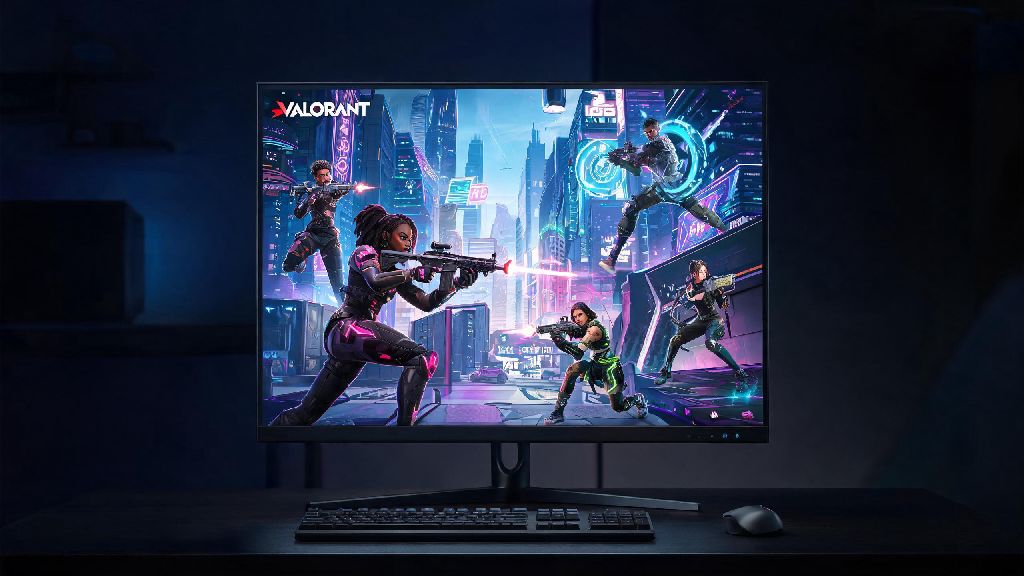
I get asked this question at least twice a week from new players who just saw their favorite streamer clutch a 1v5 and are ready to jump into Riot’s hit tactical shooter for the first time: where can i play Valorant? It’s not as obvious as it sounds, especially if you live in a region with restricted official access, or you want to play casual custom games with friends without jumping into ranked lobbies. I’ve tested every legitimate way to access the game over the past three years, from official clients to third-party community servers, so I’m breaking down every option, their pros and cons, and who each one is best for.
Where Can I Play Valorant Officially, Legally For Free?
If you have a Windows PC that meets the minimum system requirements (you don’t need a super high-end rig – the game runs smoothly on most laptops made in the last 5 years with a dedicated GPU), the official Riot Client is by far the best option. It’s 100% free to download and play, you never have to pay to access core game modes, and all microtransactions are strictly cosmetic, so you don’t get any gameplay advantage from spending money. Cross-region play restrictions mean that if you made your account while living in the US, you can’t just switch to EU servers to play with friends overseas without making a brand new account, and all your skins and rank progress won’t carry over. Riot implemented this rule to keep ranked lobbies fair, as high ping from cross-region play can give players an unfair advantage or ruin the experience for everyone else in the lobby.
Anti-cheat requirements are another non-negotiable part of official play: you have to install Vanguard, Riot’s kernel-level anti-cheat software, which runs in the background whenever your PC is on if you want to launch the game. Some users are wary of kernel-level software, but Riot has published multiple transparency reports about how Vanguard works, and it’s widely considered one of the most effective anti-cheat systems in modern gaming, so you’ll rarely run into hackers in official ranked lobbies. The official client gives you access to every game mode, including ranked, unrated, swiftplay, deathmatch, custom lobbies, and limited-time arcade modes, plus all battle pass and event rewards.
Unofficial Community Server Options For Casual Play
Unofficial community servers have grown a lot in popularity over the past two years, especially for players who live in regions where Riot hasn’t launched official servers yet, like most of sub-Saharan Africa and parts of Central Asia. Private servers are not endorsed by Riot Games, so it’s important to note that using your official Riot account on any private server can result in a permanent ban on your official account, even if you’re just playing casual modes. I always recommend making a separate, throwaway Riot account with no purchased skins if you want to test private servers, just to be safe. Most community servers are run by volunteer teams of Valorant fans, so the quality can vary a lot: some have dedicated anti-cheat and 24/7 moderation, while others are full of hackers and toxic players, so you’ll want to ask for recommendations from other players in your region before joining one.
- Custom game mode options you won’t find in official lobbies, including zombie mode, one-shot sniper only, and ability-free deathmatch that lets you focus purely on aim training
- Lower ping for players in regions with no official Riot server coverage, like parts of Africa and Central Asia, making the game far more playable than trying to connect to an official server thousands of miles away
- No rank penalty for leaving matches or testing new agents, making them ideal for new players still learning mechanics who don’t want to tank their official unrated or ranked MMR
The biggest downside to community servers is that you won't earn battle pass XP, event tokens, or rank progress, and many have inconsistent anti-cheat, so you might run into hackers more often than official lobbies. I only recommend these for casual play with friends, not if you're trying to grind for ranked rewards or unlock new limited-time skins. It’s also worth noting that some community servers charge a small monthly fee for access to premium modes or lower ping slots, so make sure you read the rules before joining to avoid unexpected costs.
Cloud Gaming Options For Players Without A Gaming PC
If you don’t have a Windows gaming PC, you don’t have to miss out on playing Valorant altogether, thanks to official cloud gaming support. Even though Valorant is only natively supported on Windows PC, you can play it via cloud gaming services that stream the game to your device, as long as you have a stable, low-latency internet connection. GeForce Now support is the most reliable option right now, as Riot has an official partnership with NVIDIA’s cloud gaming service. You just need a GeForce Now account (free and paid tiers are available), you log into your Riot account through the GeForce Now app, and you can play the official version of the game just like you would on a local PC. All your rank progress, skins, and battle pass XP carry over, and you don’t have to install Vanguard on your local device, which is a big plus for users who don’t want kernel-level software running on their personal laptop.
Other cloud gaming providers might offer Valorant, but I strongly recommend sticking to GeForce Now, as any unofficial cloud service that asks for your Riot login details could be a scam, and you risk losing your account. You can play via GeForce Now on Mac, Chromebook, Android phone, even most modern smart TVs, as long as you have a controller or keyboard and mouse connected. The catch is you need at least 25 Mbps download speed for 1080p 60fps play, and any lag in your internet will directly affect your gameplay, which is a big downside for competitive players. Data caps are another thing to watch for, as streaming Valorant for an hour can use up to 15GB of data, depending on your stream quality, so if you have a limited data plan, this might not be a cost-effective option for you. I've tested this on a 50 Mbps connection while traveling in Southeast Asia, and it works great for casual unrated matches and deathmatch, but I wouldn't try to play a ranked promotion game on it, as even a 1-second lag spike can make you lose a crucial round.
Important Rules To Follow No Matter Where You Play
No matter which option you pick to play Valorant, there are a few important rules you should follow to keep your account and personal information safe. Never share your Riot account login details with any third-party service, even if they claim to give you free skins, early access to new agents, or unlimited Valorant Points. Riot will never ask for your password via email, social media, or in-game chat, so any service that asks for your login credentials is a scam, full stop. I’ve seen dozens of players lose their accounts with hundreds of dollars worth of limited-edition skins because they fell for a free skin scam, so it’s never worth the risk.
Second, if you're playing in a region that's not your official home region, be aware of ping limits: Riot will flag accounts that consistently play with over 150 ping in ranked lobbies, and you might get restricted from ranked play temporarily to keep lobbies fair for other players. Third, avoid any service that claims to let you play Valorant on mobile or console before the official release: these are almost always scams, or modded versions that will install malware on your device. Riot has announced that Valorant Mobile and console versions are in development, but there’s no public release date yet, so any app or service that claims to offer access right now is fake. It’s also a good idea to enable two-factor authentication on your Riot account, no matter where you play, to add an extra layer of security against hackers.
At the end of the day, the answer to where can i play Valorant depends entirely on what you're looking for: go for the official Riot client if you want to grind ranked and earn official rewards, try community servers if you just want to mess around with friends with custom modes, and use cloud gaming if you don't have access to a Windows gaming PC. No matter which option you pick, stick to legitimate, trusted platforms to keep your account and device safe, and you'll be fragging in no time. If you're just starting out, I recommend starting with unrated matches in the official client first to get a feel for the game before you jump into more niche play options.