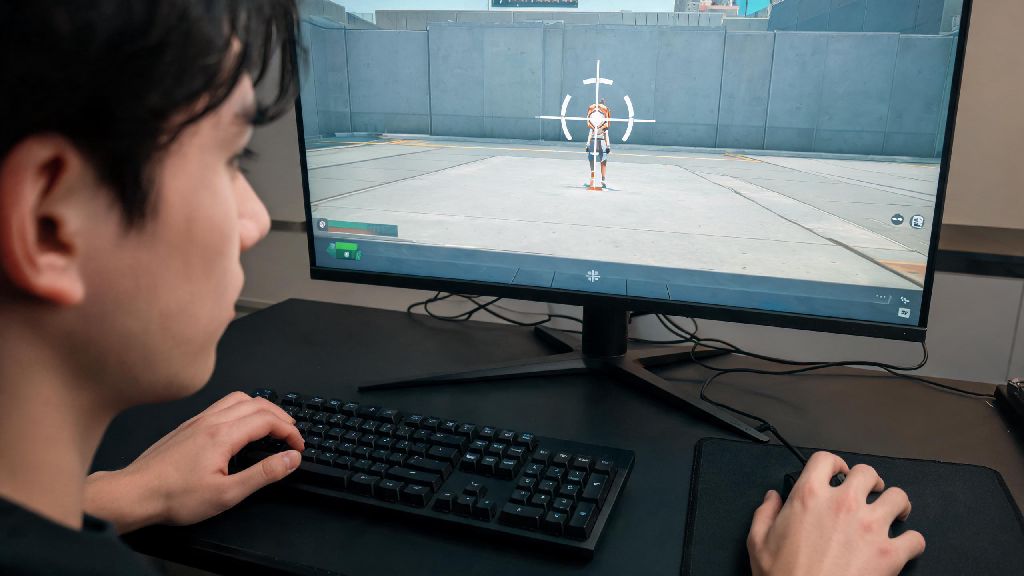
If you’ve ever whiffed a point-blank headshot on a defending Sage or missed a flick on a rotating Jett when you swore your aim was on point, your crosshair might be the problem, not your reaction time. Learning how to change crosshair in Valorant is one of the fastest, zero-cost tweaks you can make to boost your ranked win rate and cut down on frustrating missed shots. I’ve tested dozens of crosshair setups while climbing from Bronze 1 to Immortal 3 over the past two years, and I’ve seen players pick up 2-3 extra kills per match just a few days after switching to a crosshair that fits their playstyle.
How to Change Crosshair in Valorant: Exact Step-by-Step Walkthrough
When you learn how to change crosshair in Valorant, you’ll notice there are dozens of small tweaks you can make beyond just size and color. First, open the settings menu by clicking the gear icon in the top right corner of the main menu, or press ESC while in a match to access it mid-game. Navigate to the “Crosshair” tab at the top of the settings menu, and you’ll see three sub-tabs: General, Primary, and Secondary. You can access settings mid-match too by hitting the ESC key, so you don’t have to back out of a queue if you want to make a quick adjustment between rounds.
If you’re importing a code from a pro player or friend, just click the “Import Profile Code” button at the top of the crosshair tab, paste the code, and save. You can also export your own code to share with teammates or save for later if you want to test a new setup and switch back. I keep three saved crosshair profiles: one for long-range Vandal play, one for close-quarters Icebox maps, and one for when I’m practicing flicks in deathmatch. It only takes 10 seconds to switch between saved profiles, so you don’t have to manually adjust settings every time you load a different map.
Key Crosshair Customization Options Worth Adjusting
You don’t have to tweak every single setting to get a great crosshair. Most players only need to adjust 4-5 core options to get a setup that works for their playstyle. I’ve broken down the most impactful settings below, based on my own testing and feedback from 12+ Immortal players I regularly queue with:
- Crosshair color: Pick a high-contrast shade that stands out against all map backgrounds; neon green or cyan work for most players, but avoid brown or gray that blends with Bind or Ascent walls.
- Inner line thickness and length: Thinner lines give you more precision for long-range flicks, while slightly thicker lines are easier to track during close-quarters spray fights.
- Crosshair dot: A small center dot can help with pixel-perfect headshot alignment, but many players turn it off to avoid blocking visibility of small enemy heads at long range.
- Movement and firing error: Turn these off if you already have good recoil control; they add visual clutter that distracts more than it helps for intermediate and advanced players.
I used to run movement error on when I was in Silver, because it helped me learn to stop moving before shooting, but I turned it off as soon as I hit Gold because it made it harder to track enemies while I was adjusting my position. Don’t copy pro settings blindly here; test each option for a full unrated match before you lock it in. For example, if you main a Duelist and spend most of your time rushing sites, a slightly thicker crosshair with no dot will probably work better than a tiny 1px crosshair made for long-range Operator play.
Pro Crosshair Mistakes That Kill Your Aim
Over the years of coaching lower-ranked players, I’ve seen the same crosshair mistakes come up again and again. Most of these mistakes don’t seem like a big deal at first, but they add up to dozens of missed shots per act that cost you elo. A crosshair that covers more than 2-3 pixels of an enemy head at 30 meters is too large, you’ll miss tiny gaps between boxes or overestimate your aim placement when you’re holding long angles.
Another common mistake is using a color that matches common map elements. I once used a tan crosshair for a week and kept losing it on Ascent's mid wooden boxes, that cost me three ranked wins before I switched. So many players I coach in lower ranks copy a pro’s 1px thin crosshair and then wonder why they can’t hit any shots in close fights. If you have a 1080p monitor, a 1.2-1.5 thickness is usually the sweet spot for most playstyles, unless you only ever hold long angles with an Operator. You should test any new crosshair for at least 10 deathmatch rounds before you use it in ranked, that gives you enough time to adjust without throwing your elo.
The worst mistake you can make is changing your crosshair every other day after a bad match. Your muscle memory relies on consistent visual cues, so switching your setup constantly will make it impossible to build reliable aim. I only adjust mine once every 2-3 months, usually after a bad act where I notice I’m missing more long-range shots than usual.
How to Test if Your New Crosshair Is Working for You
It’s normal to feel a little off when you first switch to a new crosshair, so don’t ditch it immediately if you have a bad first game. The best way to test a new setup is to run through a structured testing process that removes as many variables as possible. First, play two unranked spike rush matches, no pressure, just focus on how easy it is to keep the crosshair on enemy heads while you’re moving and shooting.
Next, run two deathmatch rounds: one where you only use a Vandal and only shoot from 20+ meters away, and one where you only use a Spectre for close-quarters fights. This will help you see if the crosshair works for both of your main play scenarios. Track your kill count for 3 matches with the new crosshair, and compare it to your average with your old setup. If you’re getting 2+ more kills per match, it’s a keeper. If you’re whiffing more shots than usual, give it another 2-3 hours of playtime to build new muscle memory before you switch back.
If you play a lot of agents with scopes, like Operator or Marshall, make sure you adjust your scope crosshair too, it’s a separate setting most people forget about. Scope crosshair should match your primary crosshair color for consistency, so you don’t have to re-adjust your aim when you scope in. I also recommend turning off scope crosshair fade, so you can see it clearly even when you’re moving around or adjusting your position after scoping.
At the end of the day, the best crosshair is the one that feels natural to you, not the one a streamer swears by. Taking the time to learn how to change crosshair in Valorant and tweak it to fit your playstyle is a small investment that pays off big in more kills and fewer frustrating losses. Don’t be afraid to make small adjustments over time, but avoid switching your setup every time you have a bad match. Once you find a crosshair that works, stick with it, and you’ll see your rank climb faster than you expect.