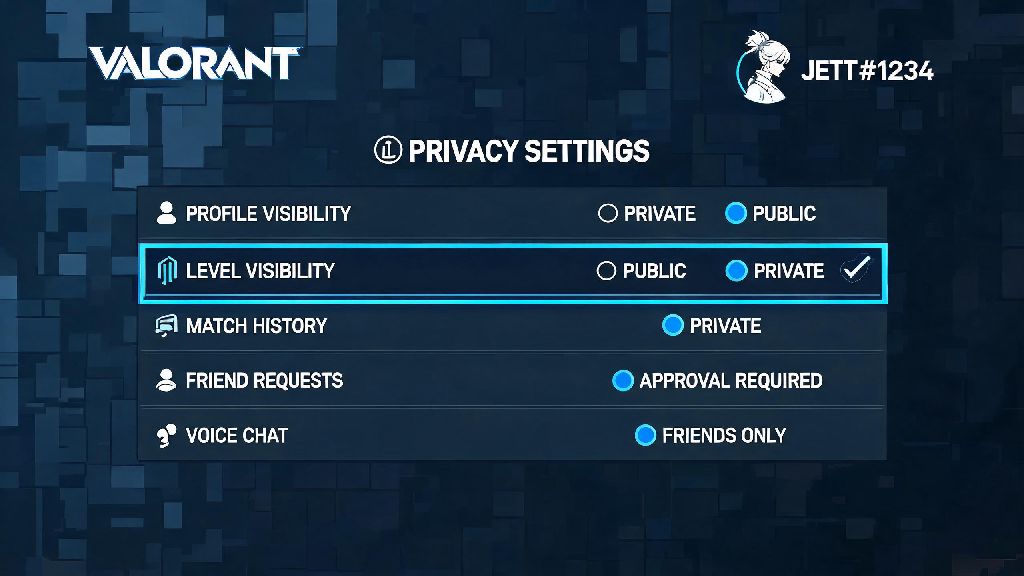
Ever queued for a competitive Valorant match only to get 120+ ping because your game auto-connected to a server hundreds of miles away? Or tried to play with a friend who lives in another country, just to get hit with a region lock error? You’re not alone. Thousands of players run into this issue every week, and the fix is simpler than you might think. Learning how to change Valorant server region can fix lag, let you squad up with friends across the globe, and even let you try out meta shifts that hit other regions first. I’ve tested every method for switching regions over three years of playing Valorant, so I’ll walk you through exactly what works, what doesn’t, and what you need to watch out for before you make the switch.
Step-by-Step Process to Change Valorant Server Region
The process for switching your Valorant server region is surprisingly straightforward, and you don’t need any third-party tools to do it. All you need is access to your Riot account and a few minutes of free time. First, open the Riot Client and sign into the account you use for Valorant. Click on your profile icon in the top right corner of the client, then select Settings from the dropdown menu. Next, navigate to the Region tab on the left side of the settings page. You’ll see a list of all available Valorant server regions, plus a note of your current assigned region. Select the region you want to switch to, then click Save Changes. You’ll get a pop-up warning explaining any restrictions that apply to your region switch, so make sure you read that carefully before confirming. This official method for how to change Valorant server region works for both PC and console versions of the game, so you don’t need separate steps for different devices. Once you confirm, close the Riot Client completely and reopen it to apply the changes. When you launch Valorant next, you’ll be connected to your new region’s servers automatically. That said, there are a few limits to how often you can switch regions, which I’ll cover later in this guide.
Top Reasons Players Switch Valorant Server Regions
Most people don’t switch regions just for fun. There are a handful of common use cases that make going through the process worth it, and I’ve run into almost all of them myself over the years. Let’s break down the most popular reasons:
- Lower ping and reduced lag: If your default region has overcrowded servers or you live near the border of two regions, switching to a closer server can cut your ping in half and eliminate rubber-banding during matches.
- Play with friends in other countries: Valorant’s default region lock prevents you from queuing with players outside your assigned region, so switching is the only official way to squad up with long-distance friends.
- Test meta changes early: Riot rolls out patch updates to different regions on slightly different schedules, so switching to an earlier time zone region lets you try out agent buffs, nerfs, and new map updates a few hours before they hit your home region.
- Access limited-time regional events: Some in-game events, collaboration skins, and community tournaments are only available to players in specific regions, so switching lets you join in on those exclusive offerings.
I switched regions last year to play with a group of friends I met at a Valorant LAN event in Tokyo, and the process only took me two minutes total. Just make sure you know what restrictions you’re agreeing to before you make the jump, because you can’t switch back whenever you want.
Important Restrictions You Need to Know Before Switching Regions
Riot doesn’t let players bounce between regions whenever they feel like it, and for good reason. Unlimited region switching would lead to rampant smurfing, queue time manipulation, and unfair matchmaking for lower-ranked players. First, you can only switch your Valorant server region once every 90 days. That means if you switch to EU to play with friends for a week, you won’t be able to switch back to NA for three full months, so plan accordingly. Second, your in-game rank, MMR, and competitive match history don’t transfer between regions. If you’re Platinum 3 in NA, you’ll start with a fresh unranked account when you switch to EU, and you’ll have to play your placement matches all over again. Third, any unused Valorant Points (VP) and Radianite Points (RP) stay tied to your original region. You won’t lose them, but you can’t use them in your new region until you switch back. I learned this the hard way when I switched to Japan last year and had 3,000 VP stuck in my NA account that I couldn’t use to buy the new Neon skin bundle. Another common question I get is whether using a VPN will let you bypass the official rules for how to change Valorant server region, and the answer is no. Riot’s anti-cheat system detects VPN use for region switching, and you could get a temporary ban if you try to manipulate your location without using the official switch tool. Finally, queue times can be drastically different in other regions, especially if you’re a high-ranked player. Immortal and Radiant queues in smaller regions like OCE can take 20+ minutes at off-peak times, which is a big adjustment if you’re used to 2-minute queues in NA or EU.
Troubleshooting Common Region Switch Issues
Most of the time, the region switch process works exactly as intended, but there are a few common errors that pop up for some players. I’ve run into almost all of these myself, so I’ve got simple fixes for each one. If you get an error saying you’re not eligible to switch regions, double-check that you haven’t switched regions in the last 90 days. Riot’s system automatically blocks any switch requests before the 90-day cool down is up, and there’s no way to bypass this even if you contact support. If your ping is still high after switching regions, make sure you selected the closest server location to you, not just the broader region. For example, the EU region has servers in Frankfurt, London, and Paris, so picking the one closest to your physical location will give you the lowest possible ping. You can check your in-game ping by opening the settings menu and enabling the network debug stats option in the general tab. If your Valorant Points aren’t showing up after switching, don’t panic. As I mentioned earlier, VP and RP are region-locked, so they’ll still be waiting for you when you switch back to your original region. There’s no way to transfer points between regions right now, so you’ll have to buy new VP if you want to make purchases in your new region. If you still can’t get the switch to work after trying these fixes, you can submit a ticket to Riot support, but keep in mind they won’t make exceptions to the 90-day switch rule for any reason.
At the end of the day, switching your Valorant server region is a simple fix for a lot of common frustrations with the game, from high ping to not being able to play with long-distance friends. It only takes a few minutes to complete, and as long as you plan around the 90-day cool down and region-locked in-game currency, you won’t run into any major issues. Whether you’re switching to get a lower ping for your competitive placement matches or to squad up with friends you met online, knowing how to change Valorant server region will make your time playing the game a lot more enjoyable. Just remember to double-check which server you’re selecting before you confirm, so you don’t end up stuck in a region you didn’t mean to join for three months.