If you've ever watched a pro Valorant player hit impossible flick after flick or nail 3 consecutive headshots on a retake and wondered if their crosshair is part of their secret, you're not alone. I spent my first 6 months in ranked cycling through 20+ crosshair designs, tweaking one pixel at a time, before I realized half the high-elo players I follow just share their crosshair codes publicly on their social media. That's when I learned how to copy a crosshair in Valorant, and it cut my weekly aim practice time in half almost immediately. A bad crosshair can make even the sharpest aim feel off, so getting a setup that works for you is one of the lowest-effort, highest-reward changes you can make to your entire gameplay loop. You don't need to spend hours slaving away in settings menus to find something that fits, either.
How to Copy a Crosshair in Valorant Using 3 Simple Methods
Riot made copying crosshairs intentionally easy a few patches back, because they know how much of an impact a consistent setup has on player experience. You don't need any third-party tools or mods to do it, everything is built directly into the game client, and it works across every game mode, including customs, unrated, and competitive. There are three main methods you can use, depending on where you found the crosshair you want to copy:
All three methods take less than 10 seconds to complete, and the copied crosshair will save to your profile as a new custom preset, so you don't have to worry about losing your old setup if you don't like the new one. If you copy a crosshair mid-match, you can even switch to it immediately without leaving the game, which is perfect if you just saw a teammate hit a ridiculous shot and want to test their setup right away.
Common Mistakes to Avoid When Copying a Valorant Crosshair
As simple as copying a crosshair is, there are a few common mistakes that make a lot of new players waste hours on setups that will never work for them. I've made almost all of these myself, so I can tell you first-hand they're easy to avoid if you know what to look for. First, don't copy a crosshair just because a famous pro uses it. A pro who plays on 400 DPI and a 27-inch 1440p 240hz monitor will have a crosshair that looks totally different on your 1080p laptop if you play on 1600 DPI. The size, thickness, and even color will read differently on different hardware setups, so what works for them might be invisible or way too big for you.
Don't forget to test the crosshair in the practice range before using it in ranked. I learned this the hard way when I copied TenZ's crosshair straight into a Diamond ranked game on Bind and spent the first 3 rounds missing every shot because the tiny outer lines blended perfectly into the map's yellow wooden walls. Spending 2 minutes in the range shooting bots and testing peeks will tell you immediately if the crosshair is easy for you to track. Don't overwrite your main crosshair profile before testing either. Always save copied crosshairs as new separate profiles, so you can switch back to your trusted setup in 2 clicks if the new one doesn't feel right.
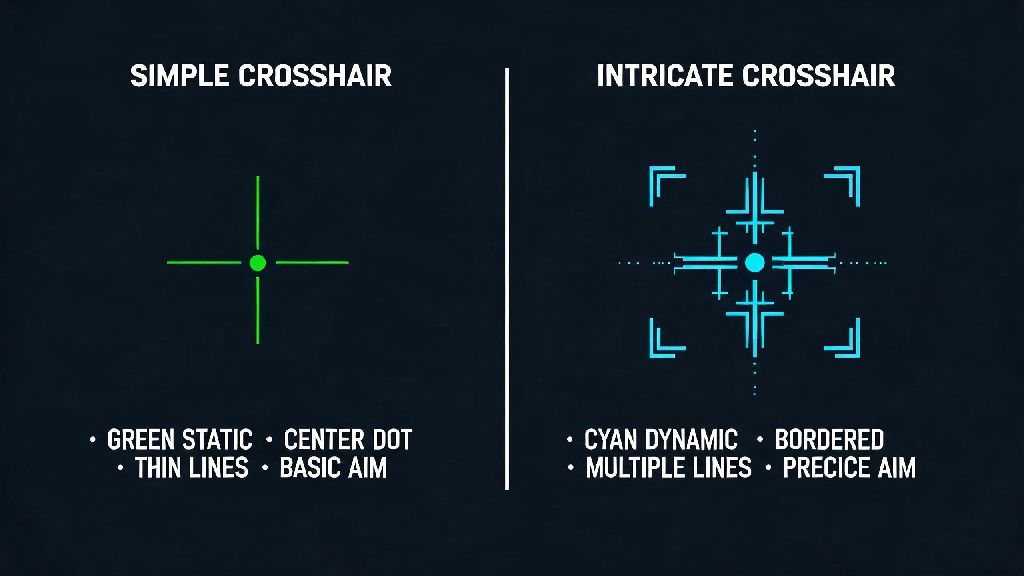
Another common mistake is copying crosshairs with too many extra elements like moving recoil dots, flickering outlines, or 4 separate outer lines if you get distracted easily. If you find yourself looking at the crosshair instead of the enemy when you're in a fight, that setup isn't for you, no matter how many pros use it.
How to Adjust a Copied Crosshair to Fit Your Playstyle
Copying a crosshair is just the first step. Almost no one uses a copied crosshair exactly as is, because everyone has slightly different preferences and hardware setups. Small tweaks take less than a minute to make, and they can turn a crosshair that feels clunky into one that feels like it was made for you. First, adjust the size if you play on a different resolution or screen size than the person you copied from. If you play on 1080p and you copied a crosshair from someone who uses 1440p, you'll probably need to bump the size up by 1 or 2 points to make it as visible as it is for them.
Adjust the outline opacity first if you struggle to see the crosshair on different maps. Most pro players use a 100% opaque black outline around their crosshair, which makes it stand out against every map background, but if you find the outline too thick, you can lower the opacity slightly until it feels right. Next, tweak the firing error and movement error settings based on your playstyle. Most pros have these settings turned on, because it lets them see when their aim is less accurate while they're moving or spraying, but if you find the expanding crosshair distracting, you can turn these off entirely.
If you main aggressive duelists like Jett or Raze who make a lot of fast, wide flicks, you might want to make the crosshair slightly thicker than the original setup to make it easier to track during fast movements. I copied a crosshair from a high-elo Sage main once, and I ended up removing the center dot entirely because it kept making me misjudge headshot level on Ascent's mid doors. Small changes like that don't alter the core of the crosshair, but they make it work for your specific needs.
When Copying a Crosshair Will (and Won't) Improve Your Rank
A lot of new players think copying a pro crosshair will instantly make them hit more shots, but the truth is a crosshair is just a tool. It can remove barriers to good aim, but it can't fix bad habits overnight. Copying a crosshair will help you if you've been using a setup that's working against you. If your current crosshair is too big and blocks enemy models, too small and you lose track of it mid-fight, or changes color every week, switching to a consistent, well-tested crosshair will almost immediately make your aim feel more steady. You'll stop wasting mental energy trying to find your crosshair on the screen, and you can focus more on positioning and game sense.
It won't help you, though, if you're switching crosshairs every other day. Stick to one crosshair for at least 2 weeks before switching again to build consistent muscle memory. Your brain needs time to get used to where the crosshair sits on the screen, and switching constantly means you'll never build that automatic instinct to place it at headshot level without thinking. It also won't fix fundamental gameplay mistakes. I've seen Bronze players copy 3 different pro crosshairs in a week and wonder why they're not climbing, when they're still peeking corners without utility, holding wrong angles, and missing easy shots because they don't practice their aim regularly.
A good crosshair can make good aim better, but it can't turn bad aim into great aim on its own. You still need to put in the time in the practice range or in deathmatch to build your mechanical skills.
At the end of the day, learning how to copy a crosshair in Valorant is one of the easiest ways to refine your setup without spending hours testing every possible setting on your own. The best crosshair for you is one that you don't notice while you're playing, one that stays out of your way but is always easy to track no matter what map or agent you're using. Don't be afraid to copy a setup that works for someone else, but don't be afraid to tweak it until it feels perfect for you too. The next time you see someone hit a crazy shot that makes you jealous, you know exactly how to grab their crosshair and test it out for yourself in the practice range later. You might be surprised how much of a difference such a small change can make to your overall gameplay.