If you’ve ever tried to send your Valorant profile link to a friend to show off your new Ascendant rank or your rare Champions knife collection, only to get a message saying the profile is private, you know how frustrating that can be. I’ve had at least a dozen friends hit me up over the last year asking why their stats won’t load on third-party trackers, or why their team scout can’t see their recent ranked match history. Most of the time, the fix is simple, and learning how to make Valorant profile public takes less than a minute once you know where to look. This guide breaks down every step, common mistakes to avoid, and how to adjust your settings so you only share what you’re comfortable with.
Step-by-Step: How to Make Valorant Profile Public in 3 Clicks
First, make sure you’re logged into the Valorant client with the account you want to adjust. You don’t need to be in a match or even in the main lobby to change these settings, but you will need an active internet connection for the changes to sync to Riot’s servers. Always double-check both in-game and Riot account privacy settings to make sure your changes stick, since some settings carry over across all Riot games you play on the same account.
Follow these exact steps: First, click the gear icon in the top right corner of the client to open your settings menu. Next, navigate to the “Privacy” tab in the top row of settings options, right next to the “Audio” tab. Finally, find the toggle labeled “Make my profile public” and switch it to the on position. That’s all it takes for the basic change, but there are a few extra steps if you want third-party trackers to access your data too.
You’ll also see a toggle labeled “Allow third-party data sharing” right under the public profile setting. If you want sites like Tracker.gg or Blitz.gg to pull your match history, win rates, and agent stats, you’ll need to turn this on too. I forgot this step when I first made my profile public last year, and spent 20 minutes confused why my tracker page was still showing a private account error. If you’re making your profile public to apply for a competitive team, this toggle is non-negotiable, since most scouting teams use these tools to verify player stats.
Key Reasons to Switch Your Valorant Profile to Public
A lot of players assume a public profile is only for pro players or content creators, but that’s not true at all. There are tons of benefits for casual and competitive players alike, and you don’t have to share every detail of your account if you don’t want to. Before you adjust your settings, it helps to know exactly what you get out of a public profile, so you can decide if it’s right for you.
Some of the biggest benefits include:
- Let competitive team scouts verify your ranked history, agent win rates, and recent performance without you having to send dozens of separate screenshots every time you apply for a roster spot
- Sync your profile to third-party stat trackers to get deeper insights into your gameplay habits, like your average headshot percentage per agent or your most common mistake on specific maps
- Show off your hard-earned ranks, rare skin collections, and limited-time event badges to friends and other community members you meet in lobbies or on social media
- Join community leaderboards for your region or rank tier to see how you stack up against players at your skill level, and find players around your rank to queue with
You can always switch your profile back to private at any time if you change your mind, so there’s no risk in testing it out for a few weeks. That said, there are a few cases where you might want to keep it private, at least temporarily. If you’re a streamer, for example, keeping your profile private during live sessions can lower your risk of getting stream sniped by opponents who look up your match history to see which agents you play most often. You can just toggle it back to public once you’re done streaming for the day.
Common Issues When Making Your Valorant Profile Public (And Fixes)
Most of the time, the steps above work perfectly, but every once in a while, you might run into a bug or a hidden setting that keeps your profile private even after you toggle the switch. I’ve helped dozens of friends troubleshoot these issues over the years, so these are the most common fixes that work 99% of the time.
The first issue most people run into is that they toggle the public profile setting, but their profile still shows as private to other players. The fix for this is usually simple: log out of your Valorant client completely, close the Riot Client, and log back in. Riot’s servers can take 5 to 10 minutes to sync new privacy settings across all their systems, so give it a little time before you panic that something’s broken. If it still doesn’t work after 15 minutes, check your Riot account settings online to make sure you don’t have a global privacy toggle turned on for all Riot games.
Another super common issue is that third-party trackers still can’t pull your stats even after your profile is public. The "allow third-party data sharing" toggle is separate from your public profile setting, and most players miss this the first time around. It’s right under the public profile toggle in the same privacy tab, so just flip that on, log out and back in, and your stats should show up on trackers within a few minutes.
If you still can’t make your Valorant profile public after trying both of these fixes, there are a few less common reasons this might happen. If your Riot account is marked as underage (you listed your age as under 16 when you signed up), Riot restricts public profile access for safety reasons, and you won’t be able to turn it on until your account ages up. If you have an active penalty or restriction on your account for toxic behavior or cheating, Riot may also disable public profile access temporarily while the penalty is active. Never share your Riot account login details with anyone claiming they can help make your profile public if you run into these issues, since these are account-level restrictions only Riot support can adjust.
How to Customize Your Public Valorant Profile Without Over Sharing
A lot of players avoid making their profile public because they don’t want strangers to see every single part of their account, and that’s completely fair. You don’t have to share everything just to have a public profile, and Riot has a ton of customizable visibility settings that let you pick exactly what other people can see.
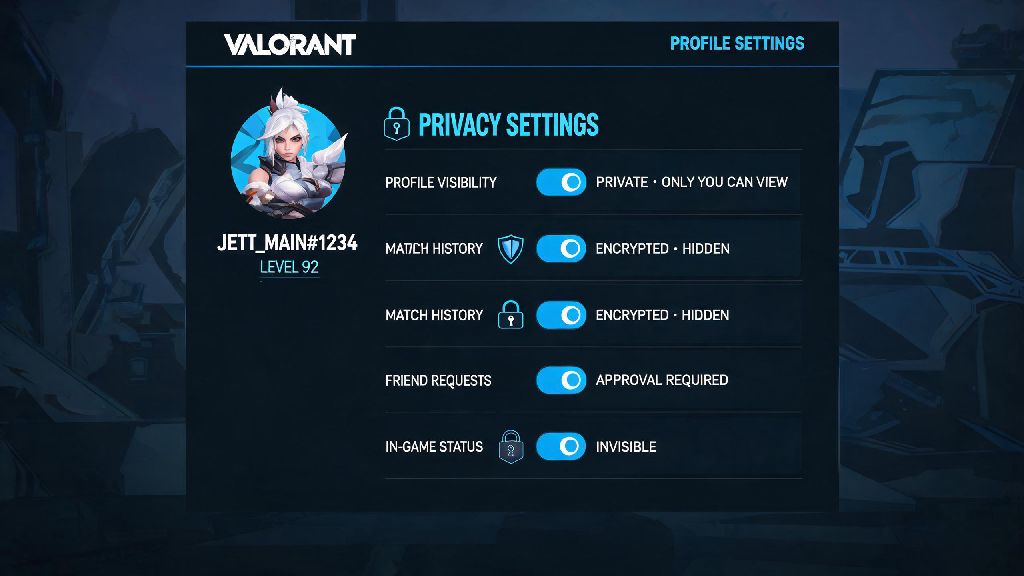
You don't have to share every part of your account to have a public profile, and you can adjust individual settings right in the same privacy tab where you turned on the public profile toggle. For example, you can keep your overall rank and agent win rates public, but hide your full match history if you don’t want people to see that you lost 5 unrated games in a row last night playing Phoenix for the first time. You can also hide your friend list, your skin inventory, and your current online status if you want to keep that information private.
Most pro players use these custom settings all the time, especially during tournament seasons. They’ll keep their overall rank and agent pool public so fans can follow their progress, but hide their match history so opposing teams can’t scout their playstyles or secret strategies before a match. If you’re planning to apply to competitive teams, it’s a good idea to keep your ranked match history public for at least the last 3 months, so scouts can see your consistent performance over time.
You can also turn off the setting that lets people send you friend requests directly from your public profile, if you don’t want to get random requests from strangers. That toggle is at the bottom of the privacy tab, and it’s a great middle ground if you want people to be able to see your stats, but don’t want to deal with dozens of random friend requests every week.
At the end of the day, whether you keep your Valorant profile private or public is entirely up to your personal preference. If you want to show off your hard-earned rank, get scouted for competitive teams, or just compare stats with your friends, knowing how to make Valorant profile public is a simple skill that takes less than a minute to master. Just remember to adjust the individual visibility settings to match what you’re comfortable sharing, and don’t feel pressured to make everything public if you value your privacy. Next time a friend hits you up asking why they can’t see your stats, you’ll know exactly how to help them fix it too.