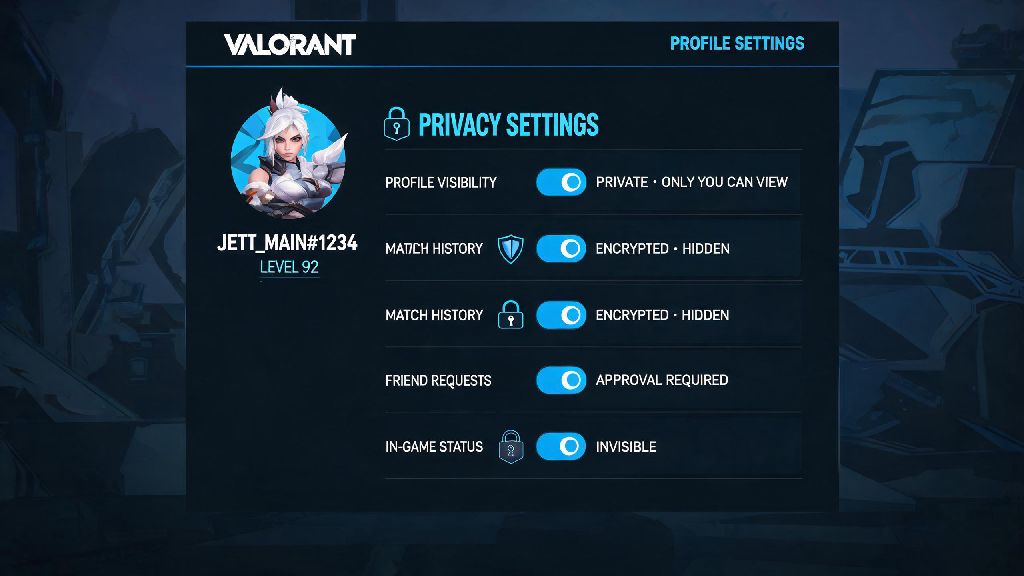
If you’ve ever queued up for a Valorant ranked match only to have an opponent roast your last 10 losses in pre-game chat, you’ve probably wondered how to make Valorant tracker private. Third-party trackers pull public Riot API data to show your win rate, agent pick stats, rank progression, and even your worst performing maps to anyone who searches your Riot ID. A lot of players don’t realize these stats are public by default, and leaving them exposed can lead to everything from mild trolling to targeted scouting in high-stakes competitive matches. We’ve tested every popular tracker tool and Riot’s native privacy settings to put together the simplest, most effective ways to lock down your stats without breaking any platform rules.
Why Would You Want to Hide Your Valorant Tracker Stats?
There’s no shame in wanting to keep your gameplay data private, and players choose to lock their trackers for a wide range of valid reasons. If you’ve ever had that experience, you’re far from alone, and learning how to make Valorant tracker private can eliminate that problem entirely. High elo ranked players are the most common group to lock their trackers, because opponents will often look up their weak agents or maps to pick counter comps before the match even starts. That small advantage can make a huge difference in close Immortal or Radiant lobbies where every round counts.
Toxicity tied to public stats is far more common than most players admit. If you have a bad streak, teammates might look you up before the first round even starts and write you off as a liability, leading to tilted games and unnecessary arguments. Casual players also benefit from hiding their stats, especially if they’re still learning new agents and don’t want to be judged for low win rates on unmastered characters.
You don’t need a “good” reason to hide your stats, either. Plenty of players just value their privacy and don’t want random strangers digging through their past match history for no reason. The good news is Riot built in options to let you control exactly who sees your data, no workarounds required.
How to Make Valorant Tracker Private Using Riot’s Native Settings
The most reliable way to hide your stats from all third-party trackers is to adjust the privacy settings directly on your Riot account. This method blocks all tracker tools from accessing your data at the source, so you don’t have to manually opt out of every individual tracker site on the internet. The whole process takes less than 2 minutes to complete.
First, log into your official Riot Games account through the Riot website, then navigate to the “Account Settings” tab. From there, select the “Privacy” menu, and look for the toggle labeled “Allow third-party apps to access match history”. Flip that toggle to off, and save your changes. This setting applies to every third-party Valorant tracker tool, so all public stat pages linked to your Riot ID will stop showing new data once the change takes effect.
It can take up to 24 hours for the change to propagate across all existing tracker sites, so don’t panic if your stats still show up right after you adjust the setting. Older cached data may remain visible for a short period, but it will disappear once the sites refresh their data pulls from Riot’s API. You can toggle this setting back on at any time if you want to use trackers for your own stat tracking later, no permanent changes are made to your account. This method also doesn’t violate Riot’s terms of service, as it’s an official privacy feature built for player use.
How to Lock Your Stats on Individual Popular Tracker Tools
If you use tracker tools yourself to monitor your own performance, you might not want to block all API access entirely. In that case, you can opt to make your profile private on individual tracker sites instead, so you can still see your own stats but other users can’t search for them. This method works best if you only use one or two trusted tracker tools and don’t mind your stats being visible on smaller, less popular sites.
For most major trackers like Tracker.gg, Blitz.gg, and Valorant Tracker, the process is very similar. First, search for your Riot ID on the tracker site, then look for the “Claim Profile” or “Manage Profile” button. You’ll be prompted to log in with your Riot account to verify you own the profile, and once confirmed, you’ll get access to privacy settings for that specific site. Look for the “Make Profile Private” toggle, flip it on, and save your changes. Opting out of individual trackers only works for that specific site, so your stats will still be visible on other tracker platforms if you don’t block API access entirely.
Claiming your profile on tracker sites also lets you edit your display name and remove any old, outdated Riot IDs linked to your account, so it’s a good step to take even if you don’t want to make your profile fully private. You’ll still get access to all the site’s personal stat tracking features, like performance breakdowns and agent mastery progress, when you’re logged into your own account. Just make sure you only log in through official tracker sites, not random links sent to you in chat, to avoid phishing scams.
Common Mistakes to Avoid When Hiding Your Valorant Tracker
A lot of players look up how to make Valorant tracker private and make simple mistakes that leave their stats exposed anyway. The most common mistake is thinking changing your Riot display name will hide your old stats. Most tracker sites link your stats to your unique, unchanging Riot PUUID, not your display name, so your full stat history will still show up under your new name unless you adjust privacy settings properly.
Another common mistake is forgetting that your in-game career tab is separate from third-party tracker access. Your in-game career tab is separate from third-party tracker access, so you’ll need to go to your in-game settings, under the “Privacy” tab, and toggle “Show career to friends only” or “Hide career entirely” if you don’t want people you play with to see your stats in game. This setting doesn’t affect third-party trackers, so you’ll need to adjust both if you want full privacy.
You should also avoid any untrusted third-party sites that claim to hide your tracker stats for you in exchange for your login info. Most of these sites are phishing scams designed to steal your Riot account credentials, so you should only ever adjust privacy settings directly through the official Riot site or verified, well-known tracker tools. Hiding your tracker stats won’t affect your match making rating, rank progression, or in-game rewards, so you don’t have to worry about any negative impacts on your account after making these changes.
At the end of the day, choosing how to make Valorant tracker private is totally up to you, and there’s no right or wrong reason to lock down your stats. Whether you’re trying to avoid scouting in high ranked lobbies, skip toxic comments from random teammates, or just keep your play data private, the steps we’ve laid out take less than 5 minutes to complete and work across all platforms. You don’t have to be a pro player to deserve control over who sees your gameplay data, and these simple settings let you enjoy Valorant without worrying about your past matches being held against you. If you change your mind later, you can always reverse the settings in seconds to get access to your full stat breakdowns again.