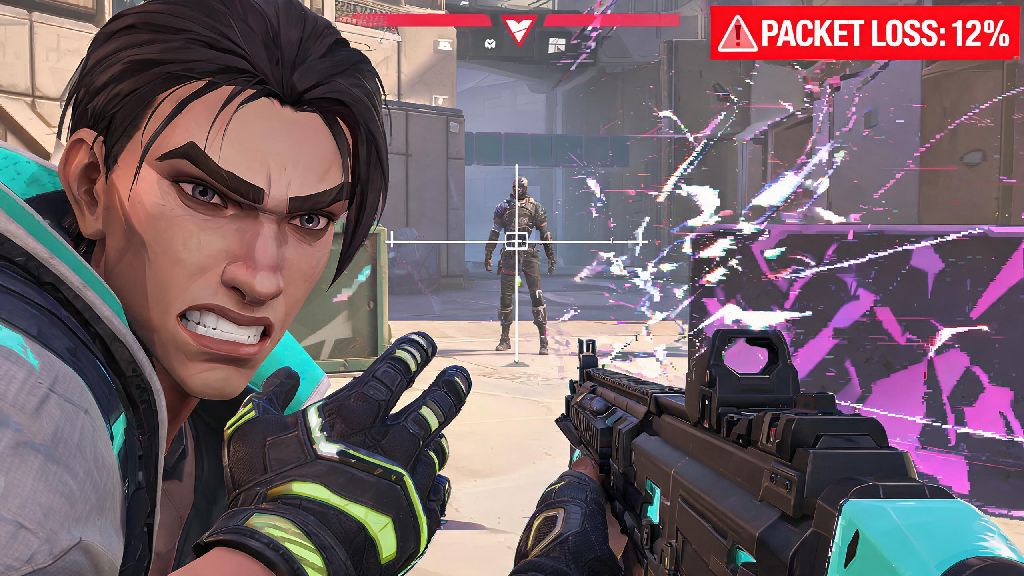
Anyone who's played a ranked Valorant match knows the sinking feeling of lining up a perfect headshot on a peeking Jett, only for your crosshair to freeze for half a second and you end up staring at the defeat screen. 9 times out of 10, that mess-up comes down to high ping you didn't even know you were dealing with. I once lost a promotion match to Immortal because my ping spiked to 120 ms mid-fight, and I had no idea until I checked the menu after the round ended. If you want to stop losing rounds to avoidable latency, the first step is learning how to see ping in Valorant so you can spot issues before they cost you RR. I've been grinding Immortal rank for three years, and I still check my ping before every match to make sure my connection is stable enough to compete. That small habit has saved me from queuing with bad internet that would have tanked my rank more times than I can count.
How to See Ping in Valorant In 3 Quick Steps
Riot Games made it really easy to access your ping stats, no third-party apps required for basic readings. You don't even have to exit a match to pull up the data you need. First, when you're in any game mode (whether it's unrated, spike rush, or competitive), press the ESC key to open the in-game menu. You'll see a list of options including settings, leave match, and career.
Second, navigate to the stats tab that sits near the top of the menu. This tab pulls real-time data for your current match, including your KDA, ability usage, and network performance. Third, look for the ping row next to your player name. The number listed is your current latency to the Valorant server, measured in milliseconds (ms). You'll also see a packet loss percentage right next to it, which is another key metric to watch for connection issues.
This method works for quick spot checks between rounds, but if you want to track ping as you play, you can adjust your settings to pin it to your HUD permanently. I'll cover that setup later in this guide, so you don't have to pause mid-fight to check your connection ever again.
What Is a Good Ping for Valorant Competitive Play?
Now that you know how to pull up your ping, you might be wondering what number you should be aiming for. Not all ping levels are created equal, and the threshold for playable latency depends a lot on what rank you're playing at and what agents you main. For example, a Duelist main who relies on fast peeks and quick reflexes will be far more impacted by high ping than a Sentinel main who holds angles from static positions.
Let's break down the common ping ranges and how they impact your gameplay:
- 0-30 ms: This is the ideal range for competitive play. You'll have almost no input delay, so your shots will register exactly when you fire them, and you'll be able to react to peeks as fast as your reflexes allow. Most pro players play in this range for a reason.
- 30-60 ms: This is still totally playable for 99% of players. You might notice a tiny, almost unnoticeable delay on very fast peeks, but it won't impact your rank unless you're playing at Immortal or Radiant level.
- 60-100 ms: You'll start to feel noticeable delay here, especially when peeking around corners or trading shots. You might find that you die behind cover even when you thought you made it to safety, or that shots you swear hit don't register. This range is manageable for casual play, but not ideal for ranked grinding.
- 100+ ms: This is the point where ping becomes a major problem. Your input delay will be so obvious that you'll be at a huge disadvantage against players with lower ping, even if you're mechanically better than them. I don't recommend queuing for ranked if your ping is consistently over 100 ms.
One thing a lot of new players miss is that ping consistency matters more than the raw number. If your ping bounces between 20 ms and 90 ms every few seconds, that's way more disruptive than a steady 70 ms that never changes. Spikes in ping are usually caused by other devices on your network using bandwidth, like someone streaming Netflix or downloading a large file while you play.
How to Pin Ping to Your Valorant HUD for Constant Visibility
Checking your ping in the menu works if you only need to spot check it between rounds, but if you want to track it in real time while you're fighting, you're better off pinning it to your HUD so it's always visible. This is a setting I turn on for every account I play on, because it lets me catch ping spikes the second they happen instead of losing a round first. Once you set this up, you won't have to stop mid-fight to figure out how to see ping in Valorant ever again.
Here's how to set it up: First, open the settings menu from the main screen or in-game by pressing ESC and selecting the settings icon. Navigate to the video tab at the top of the settings page, then select the "stats" sub-tab from the options below. Scroll down until you see the "network latency" option, then set it to "text only" or "text and graph" depending on how much data you want to see.
Text only is the least intrusive option, it just puts a small number in the corner of your screen that updates every second. The graph option shows you a history of your ping over the last minute, which is useful for spotting consistent spikes. You can adjust where the ping display sits on your screen by dragging the stats widget around in the preview window. I like to put mine in the top right corner, right next to the round timer, so I can glance at it without taking my eyes off the center of the screen where most fights happen. Don't worry about the ping display distracting you. After a few matches, you'll stop noticing it's there until you see the number jump higher than usual.
Troubleshooting Common High Ping Issues in Valorant
If you've checked your ping and it's consistently higher than you'd expect, there are a few easy fixes you can try before you call your internet provider. I've used all of these tricks to cut my own ping down by 40 ms when I moved to a new apartment last year, so I can confirm they work. If you don't know how to see ping in Valorant first, you won't be able to tell if these fixes are actually working for you, so make sure you have the stat display set up before you start troubleshooting.
First, make sure you're connected to the nearest Valorant server. Riot automatically selects the closest server for you, but sometimes the setting gets changed if you've played with friends in another region. You can check your server selection in the play menu, right above the "start" button. If it's set to a server that's hundreds of miles away, switch it back to your local one to instantly lower your ping.
Second, use a wired ethernet connection instead of Wi-Fi if you can. Wi-Fi is convenient, but it's way more prone to interference from walls, other devices, and even microwaves. I've seen players cut their ping in half just by plugging an ethernet cable into their PC instead of using Wi-Fi. If you can't run a cable to your PC, try moving your router closer to your setup or upgrading to a 5GHz Wi-Fi network.
Third, close any background apps that are using bandwidth. Streaming services, cloud storage apps, and even game launchers downloading updates in the background can eat up your bandwidth and cause ping spikes. I always close Chrome and Discord before I queue for ranked, because those two apps alone can cause 20-30 ms spikes if I have a lot of tabs open. If you try all of these fixes and your ping is still high, it might be an issue with your internet service provider or Riot's servers. You can check the Valorant server status page to see if there are any outages in your region before you spend hours troubleshooting your own setup.
At the end of the day, small quality of life adjustments like knowing how to see ping in Valorant add up to big improvements in your rank over time. You don't have to be a tech expert to track your latency and fix simple connection issues, and the time you spend setting up the HUD display will pay for itself the first time you catch a ping spike before you queue for a ranked match. I've seen so many players blame their mechanics or their teammates for losses that were actually caused by high ping they didn't even know they had. Taking 30 seconds to check your ping before every match is one of the easiest ways to make sure you're always playing on a level playing field, no matter what rank you're grinding for.