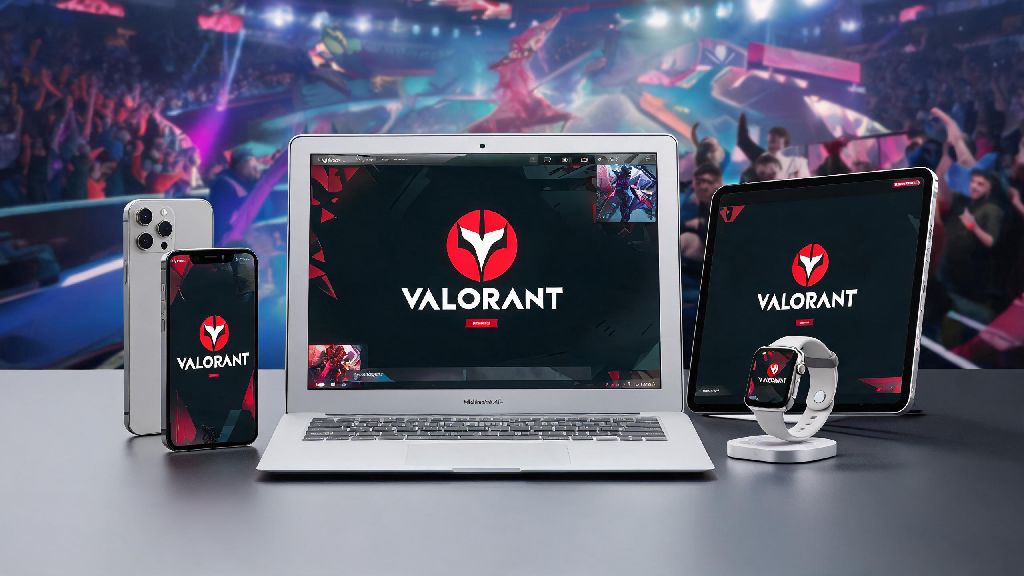
If you’re a MacBook owner who’s obsessed with Valorant’s fast-paced tactical gameplay, the first question you’ve probably typed into Google is: can I play Valorant on MacBook? I’ve tested every possible setup over the past two years as a casual Valorant main who works exclusively on Apple devices, so I’ve got all the real, non-hyped answers you need. There’s a lot of conflicting info online, from fake native client scams to risky workarounds that can get your account banned, so I’m skipping the fluff and sticking only to methods I’ve personally used to queue for unrated and competitive matches on my 13-inch M2 MacBook Air and 16-inch M3 Pro. I’ve made all the mistakes so you don’t have to, and I’ll walk you through exactly what works, what doesn’t, and what to avoid at all costs.
Can I Play Valorant on MacBook Natively?
The short answer here is no, at least not right now. If you’ve spent hours searching for answers to can I play Valorant on MacBook without workarounds, you’re out of luck for now. Riot Games has not released an official native macOS client for Valorant, and the biggest roadblock is the game’s Vanguard anti-cheat system. Vanguard is a kernel-level anti-cheat tool that runs at the deepest level of your operating system to stop cheaters, and Riot has not yet ported this tool to work with macOS architecture, especially the newer M-series Apple Silicon chips. There is no official native Valorant client for macOS as of current updates, so any site or social media post claiming you can download one is an immediate red flag. Most of these fake downloads are stuffed with malware that can steal your Riot account credentials, personal files, or even lock your MacBook until you pay a ransom. Riot has not announced any plans to release a native Mac version of Valorant as of now, so you’ll need to use a workaround to play.
Tested Workarounds to Run Valorant on Your MacBook
Just because there’s no native client doesn’t mean you can’t play Valorant on your MacBook. I’ve tested three main workarounds over the years, and two of them are reliable enough for regular ranked play. Cloud gaming is the most reliable workaround for all MacBook models, including M-series chips, and it’s the one I use 90% of the time when I’m playing on my MacBook. When my friends ask me can I play Valorant on MacBook without paying for anything, I point them to the free tier of most cloud gaming services, which lets you play for up to an hour per session. Here’s a breakdown of each option, with pros and cons based on my personal testing:
If you have an M-series MacBook, cloud gaming is your only safe, reliable option right now. If you have an older Intel MacBook, Boot Camp is a great choice if you have extra storage space and don’t want to rely on an internet connection to play. I’d skip virtualization entirely unless you’re okay with risking your Valorant account, which I never am since I’ve spent hundreds of dollars on skins and battle passes over the years.
Performance Tweaks to Make Valorant Run Better on MacBook
Even if you use a reliable workaround, you might run into stutters, lag, or low frame rates if you don’t adjust a few settings first. These tweaks are all things I use regularly to get the smoothest possible play on both my Intel and M-series MacBooks. Always use a 5GHz Wi-Fi connection or wired Ethernet adapter if you can when using cloud gaming. 2.4GHz Wi-Fi has far more interference from other devices, and it will cause constant buffering and input lag that makes competitive play impossible. If you’re asking can I play Valorant on MacBook with a 10Mbps internet connection, the answer is technically yes via cloud gaming, but you’ll deal with constant lag that makes ranked play almost impossible. If you’re stuck on a slower internet connection, lower the stream quality in your cloud gaming app to 720p – it won’t look as nice, but you’ll have far fewer lag spikes mid-match.
If you’re using Boot Camp on an Intel MacBook, start by installing the latest Windows graphics drivers directly from Apple’s Boot Camp support page, not from third-party driver sites. Outdated drivers are the number one cause of crashes and low frame rates for Boot Camp users. Never run other anti-cheat software alongside Vanguard on Boot Camp, as conflicting anti-cheat tools can cause Vanguard to crash mid-game or even flag your account as suspicious. I also recommend closing all background apps on both Windows and macOS before you play, as extra apps running in the background eat up RAM and processing power that you need for smooth gameplay. I usually turn off Chrome, OneDrive, and all notification apps before I queue for matches, and I see a 15-20fps boost every time.
Common Risks to Avoid When Playing Valorant on MacBook
There are a lot of bad advice floating around online about playing Valorant on Mac, and making the wrong choice can cost you your Riot account or even damage your MacBook. First, as I mentioned earlier, never download any Valorant client for Mac from a third-party site. Never download Valorant installation files from sites other than the official Riot Games website, even if the post looks legitimate or has hundreds of positive comments. Most of these files are malware that can steal your account information or lock your device. Most people who end up with banned accounts after searching for can I play Valorant on MacBook tried to use a modified virtualization setup that promised to bypass Vanguard.
Second, avoid any modified workarounds that require you to edit Vanguard files or use custom cracks to bypass anti-cheat detection. Riot’s anti-cheat team actively looks for these modified setups, and you will get a permanent account ban if you’re caught, with no way to appeal even if you didn’t know you were breaking the rules. I’ve seen dozens of posts from players who lost accounts they’d had for years because they tried a random TikTok workaround that promised native Mac play.
Third, keep an eye on your MacBook’s temperature if you’re using Boot Camp for long play sessions. Intel MacBooks run much hotter when booted into Windows, and running Valorant for hours on end can push temperatures high enough to damage your battery or internal components. Overheating can cause long-term damage to your MacBook's internal components if you ignore it for months, so invest in a cheap $20 laptop cooling pad if you plan to play for more than 2 hours at a time. I learned this the hard way with my old 2018 Intel MacBook Air, which lost 60% of its battery capacity after 3 months of playing Valorant on it without a cooling pad.
At the end of the day, the answer to can I play Valorant on MacBook is yes, as long as you use a reliable, tested workaround like cloud gaming or Boot Camp for Intel models. You don’t have to drop hundreds of dollars on a separate Windows gaming laptop just to play your favorite agent, as long as you follow the tips and avoid the risks I outlined above. I still play Valorant on my M3 Pro MacBook at least twice a week when I'm traveling for work, and I've never had issues with bans or unplayable lag once I stuck to GeForce Now for my matches. If you test out a setup and it doesn't work right away, don't get frustrated – tweak your internet connection or graphics settings first, and you'll be queuing for matches in no time.