Last month, I queued up for a ranked game with a random teammate who pulled off three back-to-back 1v3 clutches to get me out of Gold 1 elo hell, after I spent three weeks stuck there. I wanted to thank them for carrying so hard, but I had no clue how to gift in Valorant at the time. I messed up my first try because I tried to send them a vaulted Prime Vandal skin that wasn’t in the store, and then I had to wait two full days because we’d just added each other as friends. If you’ve ever been in a similar spot, this guide is for you. We’ll break down every rule, step, and common mistake so you can send gifts without wasting Valorant Points (VP) or running into frustrating roadblocks.
Prerequisites You Need to Meet Before You Learn How to Gift in Valorant
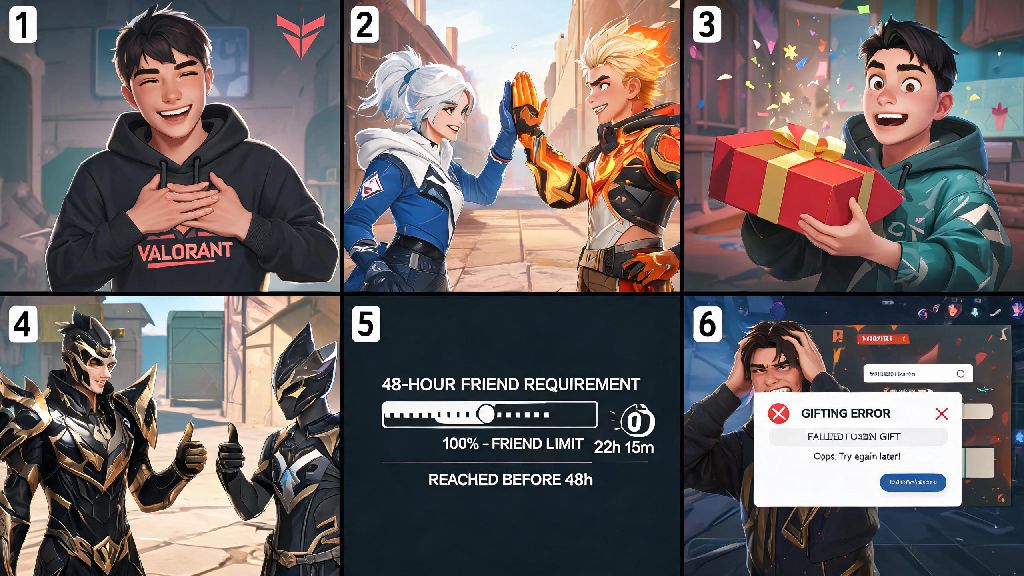
Riot has a short list of non-negotiable rules for gifting, and most first-time errors happen because players don’t know these exist. The first rule is the 48-hour friend requirement: you and the person you’re gifting must be connected on Riot’s friend list for at least 48 full hours before you can send them anything. This isn’t a random restriction—it’s designed to cut down on fraud from hackers who steal accounts and gift all their VP to throwaway accounts.
You also need to be at least account level 10 to send gifts. Low-level accounts are more likely to be linked to fraudulent activity, so Riot blocks gifting access until you’ve played enough games to prove your account is legitimate. You can only gift items that are available in the current store rotation or featured bundles, so you can’t send vaulted skins that aren’t currently for sale, even if you own them in your personal collection.
The last big prerequisite is region matching: you and the recipient have to be registered in the same Riot account region. Riot’s VP pricing varies by region to match local purchasing power, so cross-region gifting is not allowed at all. I learned this the hard way when I tried to gift my childhood friend a Reaver Vandal after he moved to South Korea for work—his account was tied to the KR region, and my NA account wouldn’t even show him on the gifting list, no matter how many times I refreshed.
Step-by-Step Process to Send a Gift in Valorant
Once you’ve confirmed you meet all the prerequisites, sending a gift is actually pretty straightforward, as long as you pay attention to the prompts. First, log into your Valorant account and head to the in-game store. You can gift items from the featured bundles page, your daily individual skin rotation, or the accessory shop for gun buddies, sprays, and player cards.
Make sure the item has a little gift icon next to it—if it doesn’t, it’s not eligible for gifting, and you won’t see the option to send it to a friend. Click on the item you want to send, and you’ll see two buttons: “Buy for Me” and “Gift to Friend”. Don’t click the wrong one— I’ve accidentally bought a skin for myself when I meant to gift it, and Riot won’t refund that mistake.
Select “Gift to Friend”, and you’ll be taken to a filtered list of your friends who meet the 48-hour and region requirements. Pick the right recipient, and you’ll have the option to add a custom 100-character message. It’s optional, but it makes the gift feel way more personal— I always add a joke about how they owe me a clutch next time we play together. If you’re gifting a battle pass, you’ll see an extra prompt confirming the recipient doesn’t already own the paid version, so you don’t waste your VP on something they already bought.
Confirm the purchase, and the full cost of the item will be deducted from your VP balance immediately. The recipient will get a pop-up notification with your message the next time they log into Valorant, and the item will be added directly to their collection. There’s no way to cancel the gift once you hit confirm, so take two seconds to double-check you picked the right friend and the right item before you finalize the purchase.
What Items Can You Gift in Valorant (and What You Can't)
Not every in-game item is eligible for gifting, so it’s important to know what’s allowed before you get your heart set on sending a specific item. Here’s the full list of gift-eligible items as of Riot’s latest policy update:
There are a few common items that players often try to gift, but are not allowed under Riot’s rules. You cannot gift Radianite Points, VP directly, or skins that are already in your personal collection. Riot doesn’t allow trading or gifting of owned items to prevent black market skin sales and account theft, so that rule is not going to change any time soon.
Limited-time event skins like the Christmas or Halloween bundles are only giftable while they’re active in the store, so if you want to gift one of those to a friend, you have to do it before the event ends, or you’ll have to wait a full year for them to come back. You also can’t gift promotional items that are only available through external partnerships, like Prime Gaming drops or Riot Forge exclusive rewards.
Common Gifting Mistakes to Avoid at All Costs
Even if you follow all the steps, there are a few easy mistakes that can derail your gifting plans, and most of them are completely avoidable if you know what to look for. The first big one is falling for third-party gifting scams. A lot of sites claim to sell discounted Valorant gifts or let you send vaulted skins that aren’t in the current store, but every single one of these sites is a scam. They will ask for your Riot login credentials, steal your account, and in some cases, steal your payment information too. I’ve had two guild members lose their accounts to these scams, so don’t risk it—only use the official in-game gifting system.
You also can't refund gifts once they're sent, so make sure you’re picking an item the recipient actually wants. Don’t buy them a fancy Phantom skin if they only ever main Vandal, or a battle pass if they only play unrated once a month and won’t get to level 50 before the act ends. If you’re not sure what they want, ask them subtly next time you play together—most players will complain about the bad rolls in their daily store, and drop a hint about what skin they’ve been wanting for weeks.
Another common mistake is trying to gift right after adding a new payment method to your Riot account. If you just added a new credit card or PayPal account, Riot will put a temporary 72-hour restriction on gifting while they verify your payment information is legitimate. If your gift won’t send for no obvious reason, check your Riot account email for any payment verification requests—9 times out of 10, that’s the issue, and you just have to confirm your payment details to unlock gifting again.
You also can’t send gifts if your account has any active restrictions, like a chat ban or a competitive penalty. Riot blocks all account privileges, including gifting, for accounts that have violated the terms of service, so you’ll have to wait out your penalty before you can send any gifts.
Gifting in Valorant doesn’t have to be complicated, and it’s one of the nicest small gestures you can make for the people you play with. Whether you’re thanking a random teammate for carrying you out of low elo, surprising your little sibling with a battle pass for their birthday, or just treating your duo partner to a new skin for their main Vandal, it’s a great way to build connections with the community. Now that you know how to gift in Valorant, you can avoid all the common mistakes I made when I first tried it, and send gifts smoothly without wasting VP or running into account issues. Just remember to stick to the official in-game gifting system, double-check all the details before you confirm, and pick something you know the recipient will actually use.