If you’ve ever pulled off a 1v5 clutch in ranked or hit a 30% headshot rate across a week of play, you’ve probably wanted to show off those stats to your squad. A lot of players don’t realize their Valorant tracker profile is set to private by default, which hides all that hard-earned data from everyone but you. Learning how to make Valorant tracker public is simple, and it opens up a ton of fun ways to connect with other players, compare stats with teammates, and even get scouted for amateur competitive teams if that’s something you’re interested in. I’ve helped dozens of my duo queue partners adjust this setting over the last year, so I’m breaking down exactly what you need to know, including common pitfalls to avoid.
How to Make Valorant Tracker Public in 4 Simple Steps
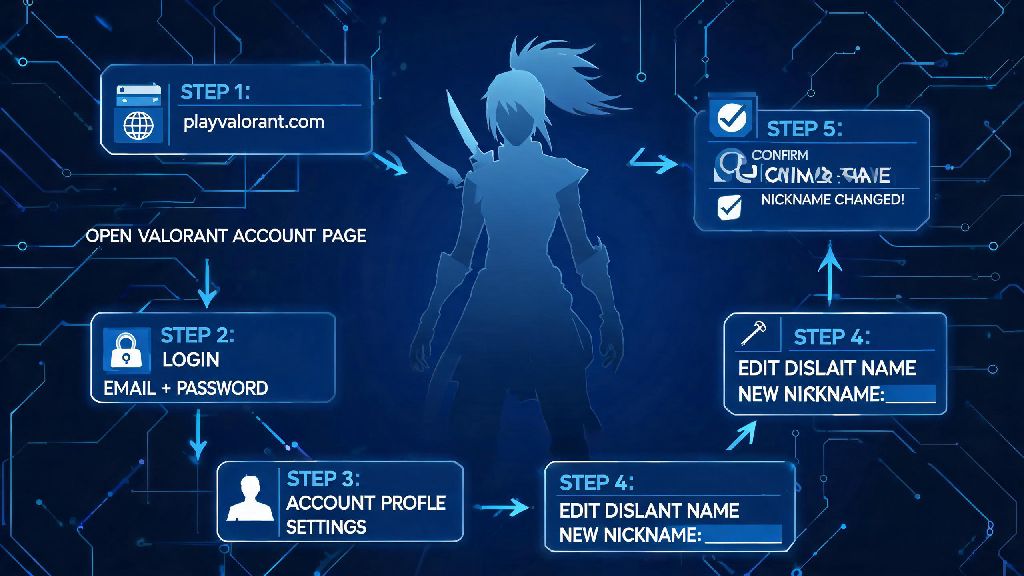
The process works almost identically across all popular Valorant tracker platforms, so you won’t have to learn a new workflow if you switch between tools down the line. First, log into your tracker account using your linked Riot ID or the email you used to sign up for the tracker service. If you haven’t linked your Riot account yet, you’ll be prompted to do that before you can access any profile settings. Make sure you link the correct Riot account to your tracker profile first, because if you have multiple smurfs, you don’t want to accidentally make the wrong one public.
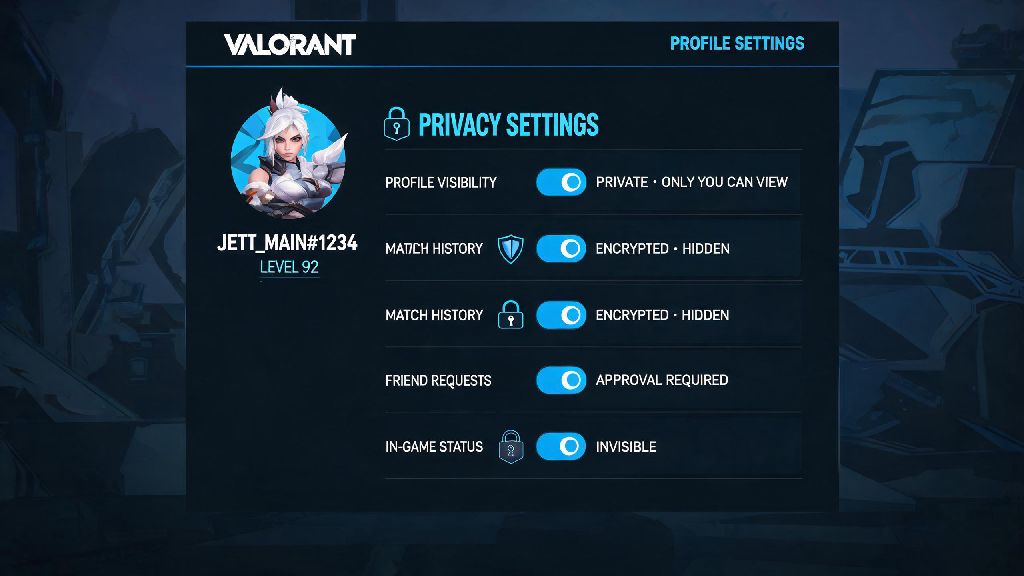
Next, navigate to your personal profile page, then click the small gear icon in the top right corner to open your account settings. From there, find the “Profile Privacy” tab, which is usually tucked under the general account preferences section. You’ll see a toggle switch labeled “Public Profile” that is set to off by default. Flip that switch to the on position, then scroll to the bottom of the page and click “Save Changes” to confirm your new settings. It can take up to 5 minutes for the change to go live across the platform, so don’t panic if your profile still shows as private right after you adjust the setting.
Reasons to Make Your Valorant Tracker Public
A lot of players leave their profiles private because they don’t see the benefit of sharing their stats, but there are a lot of small, fun perks that come with a public profile. For one, if you’re playing with a new group of teammates for ranked scrims, they can pull up your profile to see your preferred agent pool and playstyle before you queue together, which helps the team draft better and set realistic expectations for your role. You can easily compare stats with friends to settle friendly debates about who the better Jett main is instead of arguing about vague memories of past matches.
If you’re interested in competing at the amateur or semi-pro level, almost all team tryouts require a public tracker link to evaluate your performance before you sign up. Coaches don’t just look at your rank – they check your agent win rates across different maps, your econ rating, and your consistency over 30+ day periods to see if you’re a good fit for their roster. I made my tracker public last year when I was trying out for a local Valorant circuit team, and the coach told me it saved him 10 minutes of asking me for my rank history and agent win rates manually. You can also share your profile on social media when you hit a big milestone, like ranking up to Immortal or hitting a 400 ACS match, to show off your progress to other Valorant fans.
Important Privacy Considerations Before Adjusting Your Settings
While there are a lot of benefits to a public tracker profile, it’s not the right choice for everyone, and you should know exactly what data you’re sharing before you flip the switch. Once you set your profile to public, anyone who has your Riot ID can look up your stats, no account required. You won't be able to hide specific matches after you turn on public mode, so make sure you're comfortable with all your past data being visible – that includes losing streaks, games where you played poorly, and low win rates on agents you’re still learning.
Some players worry about toxic opponents using their stats to harass them in lobbies, but that’s extremely rare in my experience, and most trackers let you block specific users from viewing your profile if you run into issues. Your real name, contact info, and IP address are never shared on your tracker profile, so you don’t have to worry about doxxing as long as you don’t add personal information to your custom profile bio. When you make your profile public, the only data other users can see includes:
If you ever change your mind about having a public profile, you can switch it back to private at any time with no waiting period, and all your data will be hidden from other users immediately. I switch mine to private sometimes when I’m grinding a new agent and don’t want people to see my low win rate while I’m still learning the ropes.
Troubleshooting Common Issues When Making Your Valorant Tracker Public
Most of the time, the process works without any hiccups, but there are a few common issues that can pop up even if you follow all the steps correctly. The most frequent problem I see is players toggling the tracker’s public setting on, but their profile still shows no data to other users. That happens because your Riot account privacy settings are blocking third-party apps from pulling your match history. To fix this, log into your Riot account settings, navigate to the "Privacy" tab, and turn on "Allow third party apps to access my match data", then refresh your tracker profile to sync the new settings.
Another common issue is outdated stats showing up on your public profile right after you make the switch. Most trackers sync new match data every 15 to 30 minutes automatically, but you can trigger a manual sync by clicking the refresh button on your profile page to pull your latest matches immediately. If you can’t find the privacy toggle on your tracker profile, double check that you’re logged into the correct account – a lot of people have multiple tracker accounts linked to different smurfs, so it’s easy to log into the wrong one by accident. If all else fails, log out of your tracker account and log back in, as the setting sometimes doesn't save if your session expired before you hit the save button.
At the end of the day, deciding to make your Valorant tracker public is totally up to you, and there's no right or wrong choice. If you love sharing your wins, comparing stats with friends, or putting yourself out there for competitive opportunities, it's a small change that comes with a lot of benefits. If you ever change your mind, you can switch it back to private in just a few clicks, no hoops to jump through. Now that you know how to make Valorant tracker public, you can adjust your settings in a couple of minutes and start sharing those big play stats whenever you want.