If you’ve just gotten a Valorant gift card for your birthday, from a friend, or as a tournament reward, you’re probably excited to grab that new Reaver skin or unlock the latest battle pass. But if you’ve never done the process before, it’s easy to run into frustrating errors that leave your VP stuck and your new cosmetics out of reach. I’ve helped over a dozen of my ranked squad members figure out how to redeem Valorant gift card without issues over the last year, and I’m breaking down every step, common mistake, and pro tip you need to know in this guide. No more error codes, no more lost points, no more waiting for support to get back to you.
How to Redeem Valorant Gift Card: Official Step-by-Step Process
First off, this process works for both physical and digital Valorant gift cards, no matter what region you’re in, as long as the card matches your account’s registered region. Before you start, make sure you’re logged into the correct Riot account linked to your Valorant profile – I can’t tell you how many times my friends have accidentally logged into their old smurf account and wasted a gift card on a profile they never use.
The full process takes less than 5 minutes if you follow these steps: First, close your Valorant client completely, don’t just minimize it. If the game is open when you redeem the card, your VP might not show up until you restart anyway, so it’s easier to close it first. Next, head to the official Riot Games redemption page via your browser (you can use mobile or desktop, both work the same). You’ll already be logged in if you’re signed into Riot on your browser, but double check the profile icon in the top right corner to confirm it’s your main account.
Type or paste your gift card code into the input box exactly as it appears. For physical cards, make sure you scrape the silver coating on the back gently with a coin, not a sharp knife – I once scraped too hard and scratched off two characters, and had to spend 3 days talking to support to get the card activated. Once you’ve entered the code, click submit. You’ll see a confirmation screen showing how much VP you’re adding to your account, and you’ll also get a confirmation email to the address linked to your Riot account. Open Valorant back up, and your new VP should be waiting for you in the top right corner of the home screen.
Common Valorant Gift Card Redemption Errors and Fixes
Even if you follow all the steps correctly, you might run into an error every once in a while. Most of these issues are easy to fix on your own, without waiting for Riot support, which can take 2-3 business days to respond during busy periods. The most common errors and their fixes are listed below:
If none of these fixes work, you can submit a ticket to Riot support with a photo of your physical card (including the receipt) or a screenshot of your digital gift card purchase confirmation. They usually resolve valid issues within 48 hours, but you’ll need proof of purchase to get a replacement code or a refund.
What You Can Get With a Redeemed Valorant Gift Card
Once you’ve successfully redeemed your gift card, the VP is added to your account permanently, no expiration date. You can use it for almost everything in the Valorant in-game store, but there are a few limits you should know about.
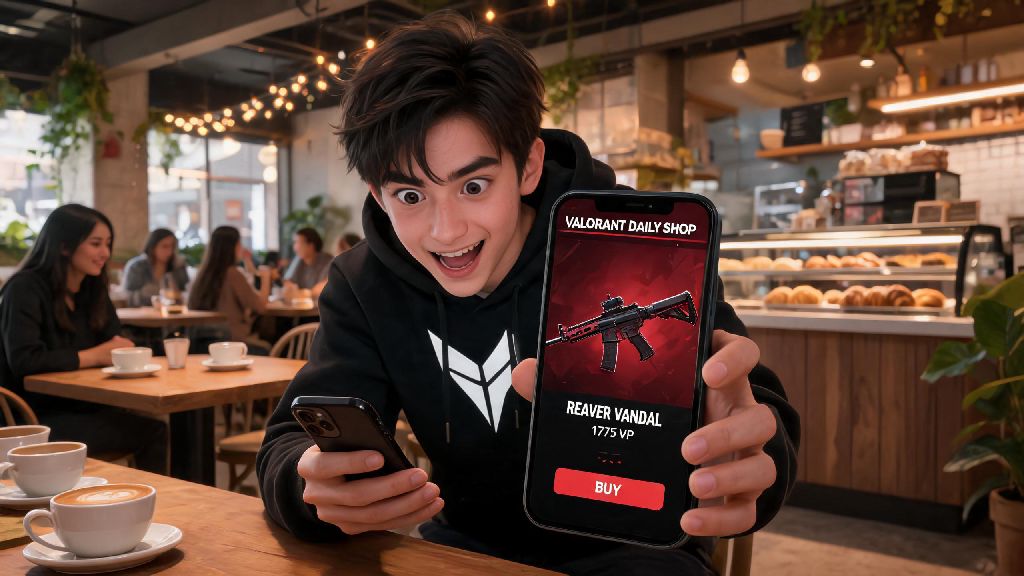
Exclusive skin bundles are the most popular use for gift card VP, especially limited-edition drops like the Prime, Reaver, and Ion collections that only come around every few months. You can also use your VP to buy premium battle passes for each act, which give you access to hundreds of dollars worth of skins, gun buddies, sprays, and player cards for just 1000 VP. If you already have skins you love, you can spend your VP on Radianite points to unlock upgrade levels for your skins, including custom animations, sound effects, and finishers.
The only things you can’t buy with VP from gift cards are third-party tournament passes, charity skins that require direct donation, and account transfers. You also can’t transfer VP from one account to another, so make sure you redeem the card on the right profile before you hit submit.
One big warning I have for all players: stay far away from third-party sites selling “discounted” Valorant gift cards for 50% or more off regular price. Almost all of these codes are either stolen, purchased with stolen credit cards, or completely fake. One of my Immortal-ranked squad members bought a $100 gift card for $30 from a random Facebook seller last year, and his account was suspended for a week, all the VP was removed, and he lost access to the battle pass he bought with the points. It’s not worth the risk, only buy gift cards from official retailers or trusted friends and family.
Pro Tips to Keep Your Valorant Gift Card Redemption Safe
Redemption scams are super common in the Valorant community, especially on Discord and TikTok where scammers target younger players who don’t know better. Follow these simple tips to keep your account and your gift card safe.
Never share your gift card code with anyone online, even if they claim to be Riot support. Riot employees will never ask you for your gift card code, password, or other personal information via DM, comment, or email. If someone reaches out saying they can double your VP if you send them your code, it’s 100% a scam.
Don’t enter your gift card code on any site other than the official Riot Games redemption page. There are hundreds of fake “free VP” sites that ask for your gift card code and account information, then steal both the code and your account. Always check the URL before you enter any sensitive information to make sure it’s an official Riot Games domain.
If you receive a digital gift card via email, make sure the sender is an official retailer like Amazon, Best Buy, or your local game store, not a random email address you don’t recognize. Don’t click links in unsolicited emails claiming you won a free Valorant gift card, they almost always lead to phishing sites.
Finally, keep your purchase receipt for at least 30 days after you buy or receive a gift card. If you run into any activation or redemption issues, you’ll need the receipt to get a replacement from the retailer or Riot support. If you throw the receipt away, you might not be able to recover the value of the card if something goes wrong.
Redeeming your Valorant gift card doesn’t have to be a stressful process, as long as you follow the official steps and watch out for common scams and errors. Take a minute to double check your account, code, and region before you hit submit, and you’ll have your new VP in your account in less than five minutes. If you run into any issues that aren’t covered here, you can always reach out to official Riot support through your account dashboard for help. Now go grab that skin you’ve been eyeing, and good luck in your next ranked match.